Technical Issues
Technical Issues

- Technical Issues
- Useful Tips
How to set up a guest Wi-Fi network in 5 minutes: step-by-step instructions
to read 6 minYou are hosting guests, of course, they ask for the Wi-Fi password. But, as you probably already know, sharing the password from the main network is quite dangerous, because all your personal devices are connected there.05.12.20250428
- Technical Issues
- GPON
Average internet speed in Odessa
to read 6 minWithout a stable internet, modern life freezes. We work, study, entertain ourselves, and communicate online. But have you ever wondered how your place of residence affects the quality of your internet connection? Is there a difference between the average internet speed in high-rise apartment buildings and the cozy private sector of Odesa? Many Odesa residents and inhabitants of the region ask themselves this question when choosing an internet provider in Odesa. Historically, the private sector is often associated with slow and unstable connections. But is this relevant today? In this article, we will dive into the world of internet connection technologies, compare real speeds, explain the reasons for differences, and show how modern solutions, in particular from BRIZ, are changing the situation for the better.26.09.20250147
- Technical Issues
- Useful Tips
Safe internet for children: settings every parent should know
to read 6 minModern children cannot be imagined without gadgets connected to the internet. For some, it has become a source of endless entertainment, while for others, it is a powerful tool for learning, communication, and development. However, like any other technology, the global network carries certain risks. Cyberbullying, access to unwanted content, phishing, and even internet addiction – these are only part of the threats that children may face.27.08.20250532
- Technical Issues
- Useful Tips
Router specifications: what do the abbreviations on the box mean?
to read 6 minImagine a situation: you go into an electronics store to buy a new router for an internet connection. The salesperson starts talking about a bunch of incomprehensible letters and numbers. You obediently nod your head, pretending that you understand everything perfectly, but in reality, you feel like a tourist in a foreign country without a translator. Familiar situation? Let’s figure out this technical abracadabra together in simple human language!26.08.20250665
- Technical Issues
- Useful Tips
How to distribute internet between TV, computer, and smartphone without losing speed
to read 6 minMany users face a situation when the home internet starts lagging after connecting several devices concurrently. The TV is streaming a movie in 4K, the computer is downloading large files, and the smartphone is updating applications – and suddenly the internet speed is reduced to a minimum. Let’s understand why this happens and how to ensure the stable operation of all devices.26.07.20250401
- Technical Issues
- Useful Tips
What is better for a private house: a regular router or Wi-Fi Mesh?
to read 6 minMany people face the question when choosing a home internet connection in Odesa: what is better - a regular router or a Mesh system? Both options have their advantages, and the choice depends on the size of the home, the thickness of the walls, and the number of devices that will be connected to the network.31.03.202511683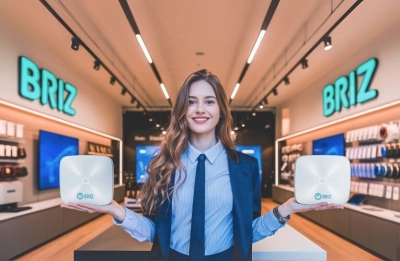
- Technical Issues
- Useful Tips
Review of routers for stable home internet?
to read 8 minChoosing a new Wi-Fi router? Comparing TP-Link EC220-F5, EC220-G5 and EX220 will help you find the best option for your home or office. Find out about speed, coverage, and settings!12.03.202513901
- Technical Issues
- Useful Tips
Forgot my Wi-Fi password, how to recover?
to read 6 minLearn how to easily find or recover a forgotten Wi-Fi password without stress - from router settings to using QR codes and the command line.05.03.202513892
- Technical Issues
- Useful Tips
Step-by-step home network setup
to read 8 minInstalling the Internet and setting up a home network is not difficult if you follow a step-by-step process. First, consider a place for your router so that Wi-Fi coverage is available throughout your home. For stable internet speeds, you can use either a cable or Wi-Fi connection, depending on your devices.28.02.202501497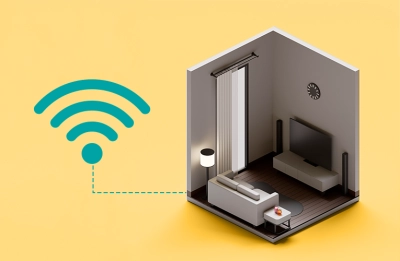
- Technical Issues
- Useful Tips
How to connect the Internet in a rental apartment
to read 6 minTo make things easier for you, we've prepared a simple and straightforward mini-guide. Here you will find everything from how to bring the Internet to your apartment and connect to a router to recommendations for making the Internet work without electricity in case of a power outage.13.02.202501672
- Technical Issues
- GPON
5 Steps to Stable GPON: How to Avoid Speed Drops and Dropouts
to read 8 minIn this article, we will explain how GPON internet works and what affects its stability, share 5 simple steps to improve your connection. We will also tell you what to look for when choosing a provider with GPON technology.11.02.202511085
- Technical Issues
- Useful Tips
Problems with online TV watching: how to eliminate lag and buffering?
to read 7 minJust imagine: you're sitting comfortably on the couch, a cup of tea in hand, ready to watch your favorite TV show. But instead of exciting plot twists and turns, your favorite TV channel is an endless loop of downloads. And it seems that this ordeal will never end. Do you want to turn everything off and forget about that show? Don't be in a hurry. We know how to fix it.29.01.202501633
Subscribe to email newsletter
Receive information about promotions and news from BRIZ to your email address