


Router specifications: what do the abbreviations on the box mean?
to read 6 min
- Wi-Fi standards: from dinosaurs to modernity
- Frequency bands: 2.4 GHz vs 5 GHz vs 6 GHz
- MIMO: for a stable Wi-Fi network
- Wi-Fi speed: not always what’s written on the box
- QoS: smart traffic regulator
- Security: WPA, WPS, and other protectors
- MESH: the more, the better
- AiMesh: when routers unite
- Beamforming: personal Wi-Fi projector
- OFDMA: smart resource allocation
- Airtime Fairness: fairness for everyone
- Parental control: digital caretaker
- Instant Guard: security with one click
- VPN functions: invisible cloak for the internet
- Connection protocols: the real “language” of the internet
- Why it’s important to have a modern router in the BRIZ network
Wi-Fi standards: from dinosaurs to modernity
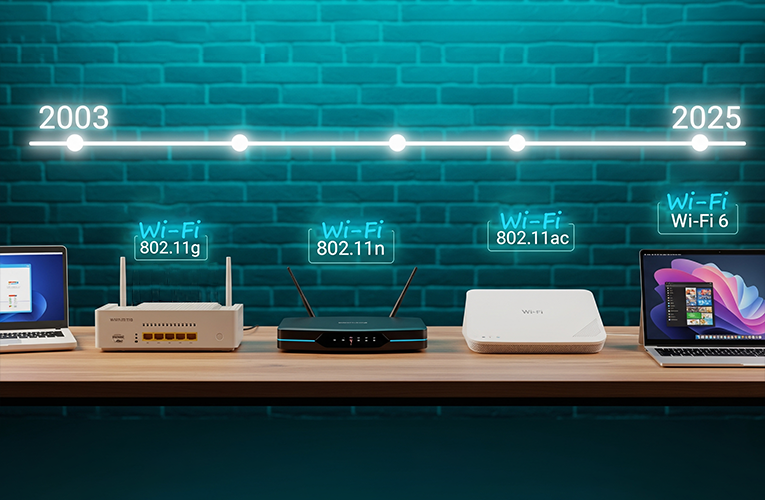
Do you remember, earlier phones were only black or white, but now there are many different ones. The same can be said about Wi-Fi standards. When the internet was just beginning to spread into homes, there was only one standard – 802.11. But technologies do not stand still and develop much faster than we manage to master them. Let’s break down the main ones so as not to get confused.
- 802.11g – it’s like the first smartphone: once it seemed revolutionary, but now looks like a museum exhibit. A speed of up to 54 Mbps was great for 2003 when people mainly read email.
- 802.11n – now this is a real breakthrough! It’s like switching from a bicycle to a car. A speed of up to 600 Mbps allowed watching videos online without constant buffering.
- 802.11ac – a modern standard that can be compared to a high-speed train. Speeds up to 6.9 Gbps (depending on configuration) are enough for using many devices simultaneously.
- Wi-Fi 6 (802.11ax) – this is already the future, which has arrived today and fully reveals the potential of fiber optics. A speed of 9.6 Gbps can already be compared to an intergalactic ship: with this, you can forget about such words as buffering, freezing, and lag! However, everything depends on the bandwidth of your devices and the distance from the router.
Frequency bands: 2.4 GHz vs 5 GHz vs 6 GHz
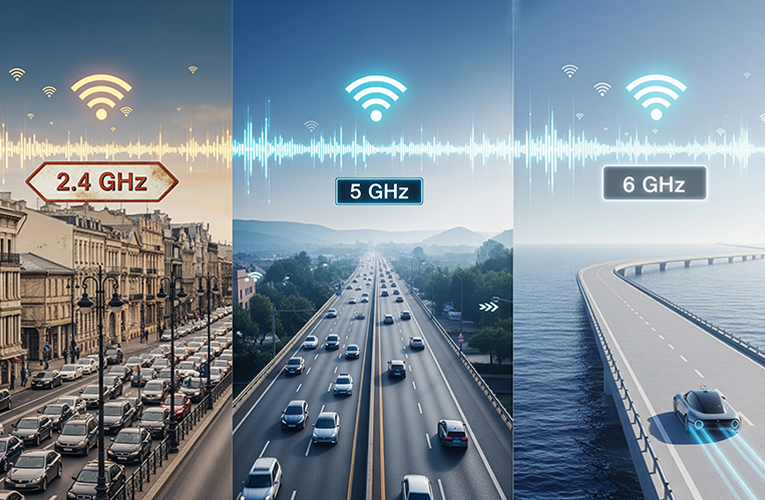
Remember the old walkie-talkies used by the main characters in action movies? The working principle of Wi-Fi is similar – the router and your devices "talk" to each other on certain frequencies.
- 2.4 GHz – it’s like the main street in the city center. Everyone knows it, everyone uses it, so traffic jams often occur. This frequency passes through walls better, but the speed is lower due to “jams” in microwaves and other devices.
- 5 GHz – a high-speed highway bypassing the city. Less loaded, higher speed, but shorter coverage range. Your smartphone in the kitchen may work great on 5 GHz, but in the distant bedroom, it’s better to switch to the well-known 2.4 GHz.
- 6 GHz – it’s like an entirely new high-speed highway bypassing all existing roads. If 2.4 GHz is a busy street in the city center, and 5 GHz is a fast route with moderate traffic, then 6 GHz is a brand-new autobahn that almost no one uses yet.
Modern home internet routers usually operate in both bands simultaneously – called dual-band. Some premium models even have tri-band (three bands) – it’s like having three different roads for different needs: 2.4 GHz for smart home and IoT devices, 5 GHz for regular surfing, and 6 GHz for the most demanding tasks like 4K streaming or online AAA games.
MIMO: for a stable Wi-Fi network
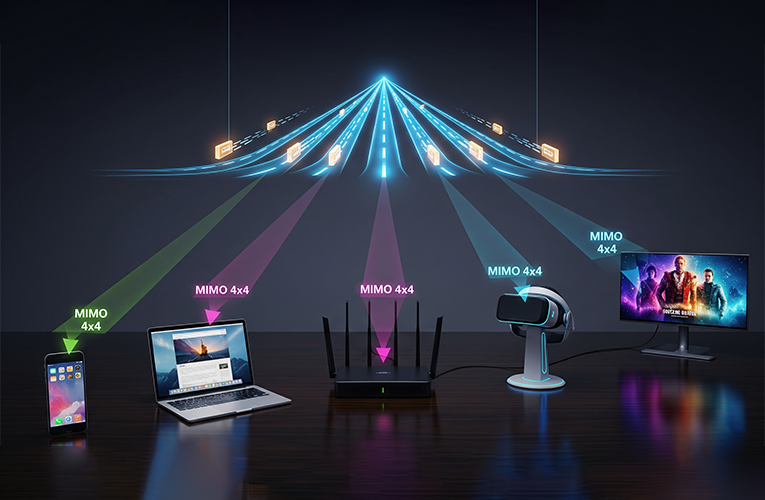
Do you remember how just recently your neighbor bragged about a new router with "some MIMO"? We understand that it sounds more like the name of a Japanese robot, but it’s a very useful technology.
MIMO means Multiple Input, Multiple Output, and translates literally into Ukrainian as "many inputs, many outputs." Imagine that instead of one road between your house and the office, several parallel roads are laid at once. Even if there is a traffic jam on one of them, the others keep working.
In the router, this looks like several antennas that simultaneously transmit and receive data. The notation "MIMO 2x2" means two transmitting and two receiving antennas. "MIMO 4x4" – respectively, four and four.
MU-MIMO (Multi-User MIMO) – the presence of this technology in a router is even cooler. It’s like a smart dispatcher that allows the router to "talk" with several devices simultaneously, not one after another, as before.
Wi-Fi speed: not always what’s written on the box
Oh, this is the most painful topic for many users! You buy a router with a promise of "up to 1200 Mbps", but in reality get a speed several times less. But why does this happen?
Imagine a car advertisement: "Maximum speed – 200 km/h". But you don’t drive 200 km/h in the city during rush hour, right? Same with routers – the stated speed is achieved in ideal laboratory conditions.
Real Wi-Fi connection speed is affected by:
- distance to the router;
- number of walls between devices and the router;
- number of connected devices;
- even the weather (seriously!).
So when you see “AC1200” on a router, understand it as “theoretical maximum under ideal conditions.” In reality, expect 30%-50% of that figure.
QoS: smart traffic regulator
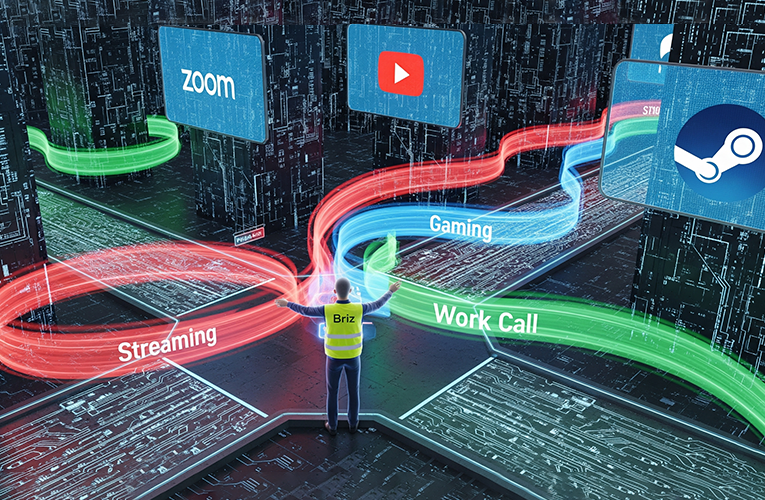
Daughter watching series, son playing online, wife working with video, and you need to hold an important video conference? The internet just can’t keep up with all our needs at the same time! Familiar?
QoS (Quality of Service) – it’s like a smart traffic controller that understands what’s more important. It can give priority to your work video conference over file downloads, or vice versa – your son’s online games over patch updates.
Modern routers often have adaptive QoS, which understands what each device is doing and automatically distributes the speed.
Security: WPA, WPS, and other protectors
Remember how that same neighbor said his internet got slower. It turned out that half the apartment building was using his unsecured Wi-Fi. That’s why the security issue is critically important.
WPS (Wi-Fi Protected Setup) – this is an attempt to make connection easier. Pressed a button on the router, entered a PIN, and done. But it’s like leaving a key under the doormat: convenient, but unsafe.
WPA3 – the newest and most reliable encryption standard for your home internet. It’s like armored doors instead of regular ones. WPA2 is also not bad, but already outdated.
MESH: the more, the better
Imagine Wi-Fi as a big web, where each point is connected. Instead of one router trying to cover the whole area, you have a team of assistant routers working together.
The best thing about a MESH system is that your devices automatically switch between access points, looking for the best signal. It’s like having a personal guide who always knows the best route!
AiMesh: when routers unite
AiMesh – it’s like forming a team of superheroes from your routers. Instead of throwing out the old router after buying a new one, you can turn it into part of a MESH system.
The old router becomes a "helper" of the new one, expanding network coverage. It’s like giving a second life to an old but still working device.
Beamforming: personal Wi-Fi projector
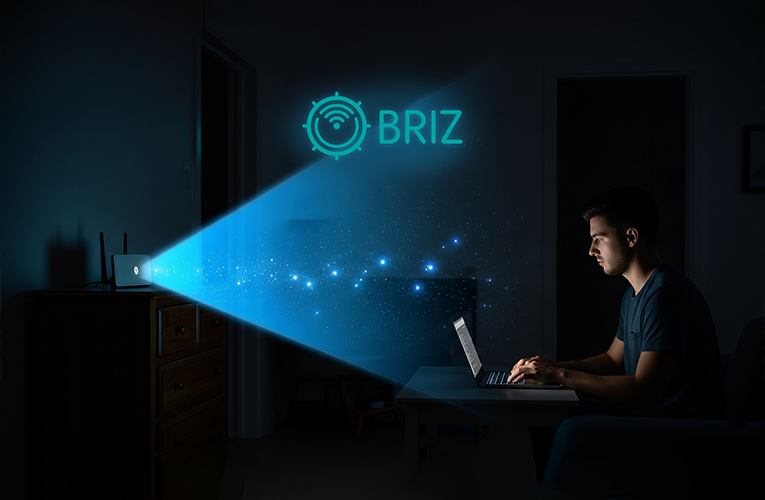
Routers used to send signal in all directions, like a street lamp – shines everywhere, but not very brightly in a specific place. Beamforming changed this logic.
It’s like a “smart” tracking system that knows where you are and directs the Wi-Fi signal exactly to you. When you move around the apartment with a laptop, the router with Beamforming "turns" after you, concentrating the signal in your direction.
Result? More stable internet connection and higher speed, especially at large distances from the router.
OFDMA: smart resource allocation
With old routers, devices communicated in turns, like to a doctor – one enters, others wait. The OFDMA (Orthogonal Frequency Division Multiple Access) technology allows the router to "talk" with several devices simultaneously.
It’s like switching from regular mail to a messenger where you can have multiple conversations at once without sacrificing internet speed. Your smartphone can upload photos, tablet – stream video, and laptop – work with cloud services, all at once without delays!
Airtime Fairness: fairness for everyone
Imagine the situation: your network has an old laptop from 2010 and a new smartphone connected. The old laptop works slowly and “occupies” Wi-Fi for a long time like a grandma slowly crossing the road during rush hour.
Airtime Fairness technology is like a kindergarten teacher who ensures all kids get an equal share of fast internet. The technology limits the time each device can use, not allowing slow devices to slow down the entire network.
Parental control: digital caretaker
Parental control in a router is like a digital nanny that works 24/7. You can:
- set time limits for each device;
- block access to certain websites;
- create an internet schedule (for example, turn it off after 10:00 PM);
- track what kids watch online.
At the same time, children won’t be able to bypass these restrictions on their own, which is a big plus!
Instant Guard: security with one click
When you connect to public Wi-Fi in a cafe or airport, your data can be "eavesdropped" by attackers.
Instant Guard – it’s like a personal bodyguard for your internet connection: it creates a secure tunnel between your device and your home router. Even sitting in a cafe, you’re using your home internet.
VPN functions: invisible cloak for the internet
If Instant Guard is a personal bodyguard, then VPN in a router is an invisibility cloak for your entire network. All devices in the house automatically receive protection and the ability to pretend they’re in another country online.
This is useful for:
- watching content unavailable in your country;
- protecting privacy;
- working safely with sensitive data.
You set it up once on the router, and all devices get protection automatically.
Connection protocols: the real “language” of the internet
A router is like a polyglot that speaks various "languages" of the internet:
- DHCP – it’s a secretary who automatically assigns IP addresses to all devices. Without it, you’d have to manually configure each smartphone and laptop.
- IPv4 and IPv6 – the old and new "address formats" on the internet. IPv4 – like old zip codes, which are no longer enough for everyone. IPv6 – a new system that can provide an address to every device on our planet.
- NAT – a smart translator that allows several devices to use one internet connection. It’s like a hotel concierge who receives all mail at one number and then distributes it to rooms.
- PPPoE, PPTP, L2TP – different ways of connecting the internet to your router. It’s like different types of locks on doors: each provider may require its own “key” for connection.
Why it’s important to have a modern router in the BRIZ network
In the end, the best router is the one that “gets along” with both fiber optics and the wireless network, so you use high-speed internet and don’t think about settings. Like a good assistant, it does its job without attracting extra attention.
The most important thing is to understand what all these abbreviations and numbers mean in order to make an informed choice. Hopefully, we’ve succeeded in this task!
Receive information about promotions and news from BRIZ to your email address

Be the first to comment