


- How to enter your personal account?
- How to use the quick login to your personal account?
- I can't enter my personal account. What to do?
- How to pay for services through a personal account?
- How to top up balance?
- How can I change the MAC address in my account by yourself?
- "Regular payment" service
- How to view your payment history?
- How to change the tariff?
- How to suspend services?
- What settings does my account have?
- How can I pay for additional services with bonuses?
- What are Additional accounts?
- What are the advantages of multi-account?
- How to create an administrative account?
- How to confirm account connection?
- When can't an account be linked?
- How to check connected accounts?
- What are the administrator's capabilities?
- Does the owner of a child account have access to other accounts?
- How to log out of a multi-account?
- How do I change the administrator or delete the entire multi-account?
- How to choose the right account?
- How to make a payment?
- Whose balance is used for payment?
- Bonus accrual
- What payment methods are available?
- Where can I view my payment history?
- How does auto payment work?
- How does payment happen if "Regular payment" is enabled on a sub-account?
"Regular payment" service
Now you don’t not need to pay for BRIZ services yourself and remember the date of payment. By activating the “Regular payment” service, funds will be debited automatically.
How will payment take place?
Funds are debited only with your consent, which you automatically give when activating the "Regular payment" service. The advantage of this service is that the payment will occur monthly and you will not need to take part in it. Payment is made in accordance with the terms and conditions of the bank where you are a client, as well as subject to the availability of funds in the account.
The “Regular payment” service will not be stopped in case of a change in the package or change in the cost of the tariff. You can cancel the automatic debiting of funds at any time in your personal account.
How to activate the "Regular payment" service in my account?
1. Log in to your personal account.
2. Go to the "Regular payment" section.
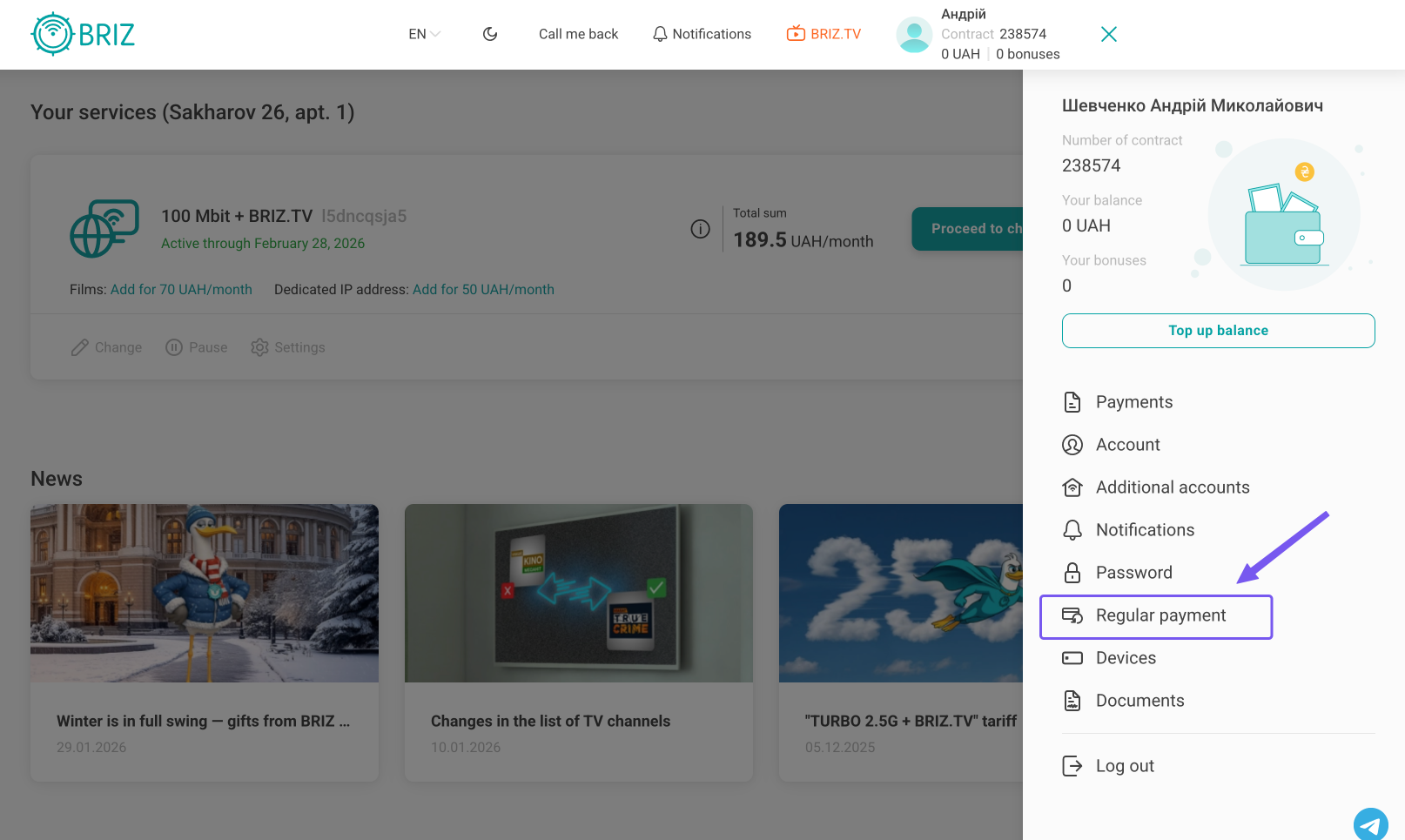
3. On the "Regular payment settings" page, you need to do the following:
- Add your payment card if you have not already done so. Detailed instructions are available here.
- Enter your email address. Please note that it may be different from the one you entered when registering your personal account.
- Activate the service after entering the required data.
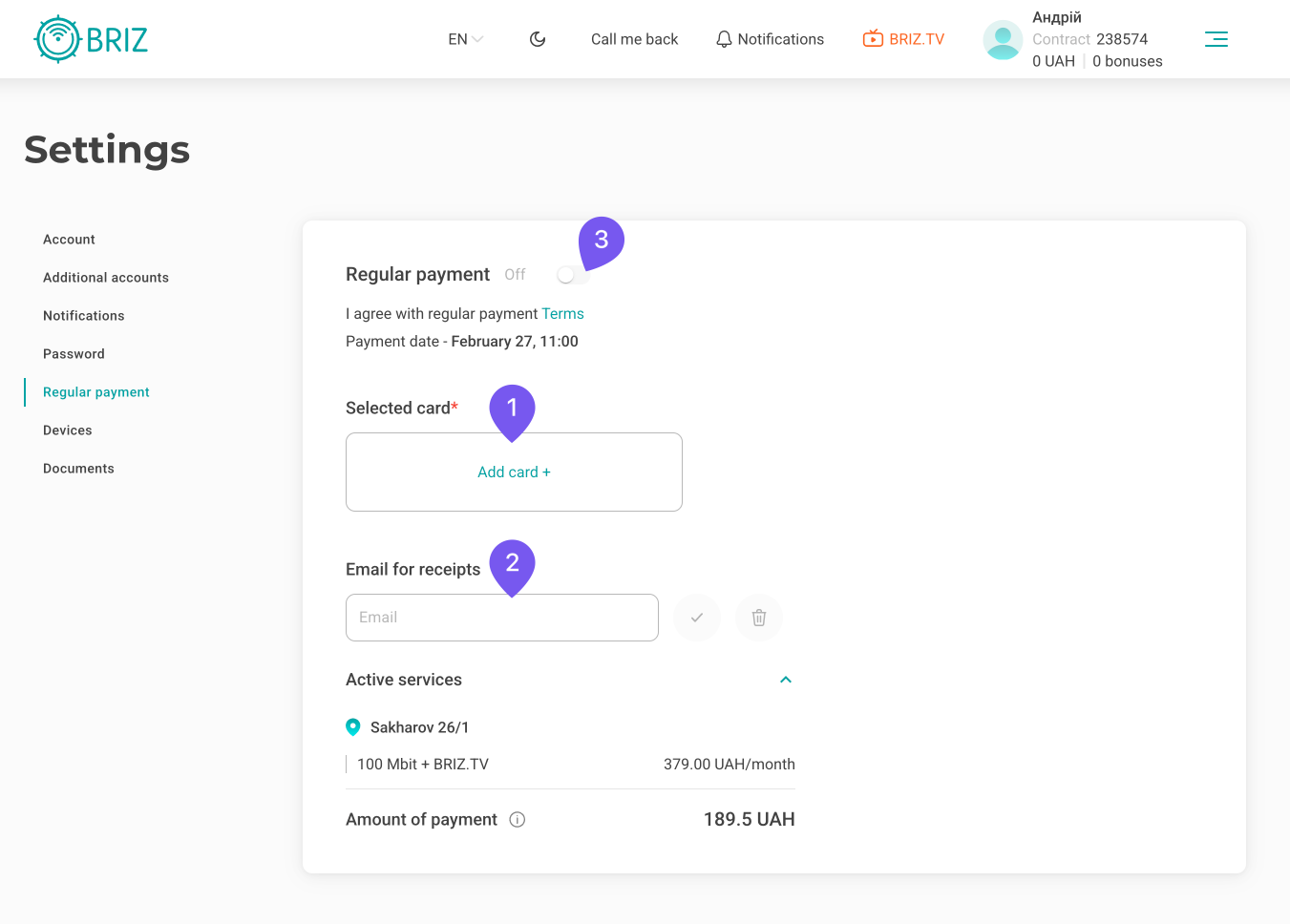
Please note that for the "Regular payment" service to work successfully, you must have a sufficient amount of funds on your account by 11:00 a.m. on the 27th of each month.
If the funds on the account are insufficient by the specified deadline, the last attempt to debit the cost of the service will be made by 11:00 am on the 28th of the same month.