


How to connect a combined tariff?
In order to activate the combined tariff, you need to go to the “Internet + TV” section on the home page of the website.
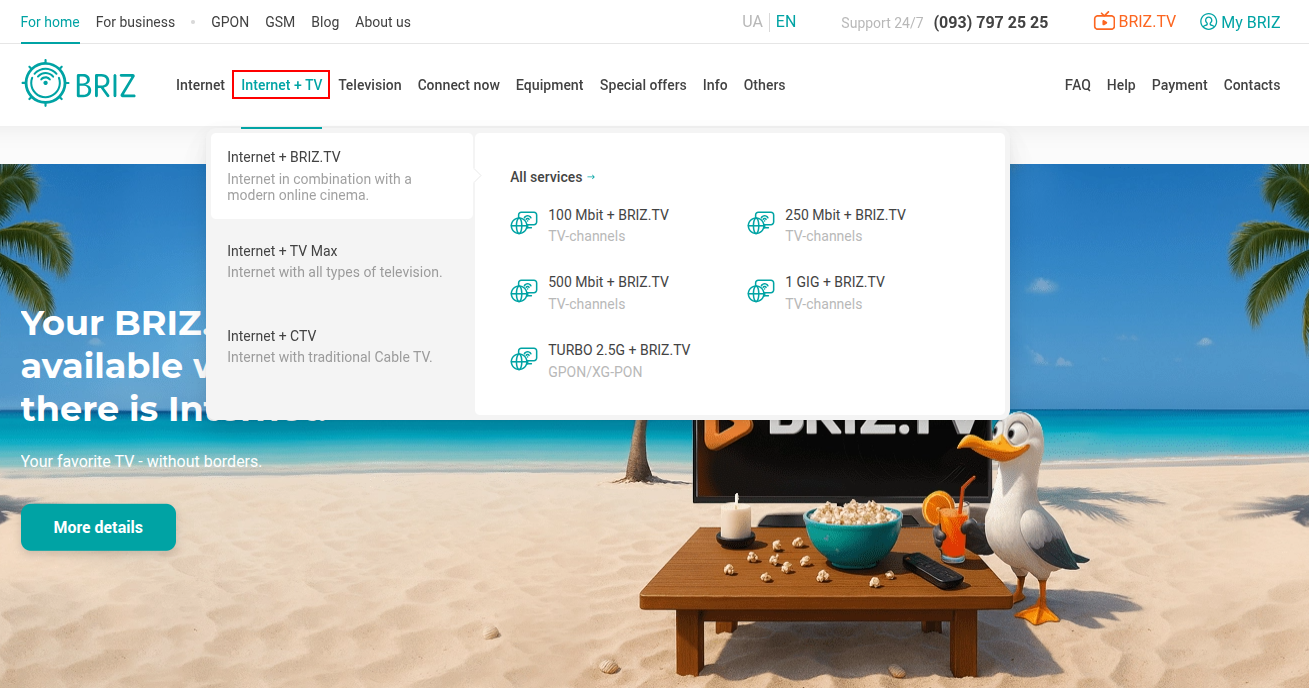
Then choose a tariff with the required Internet speed and type of TV connection:
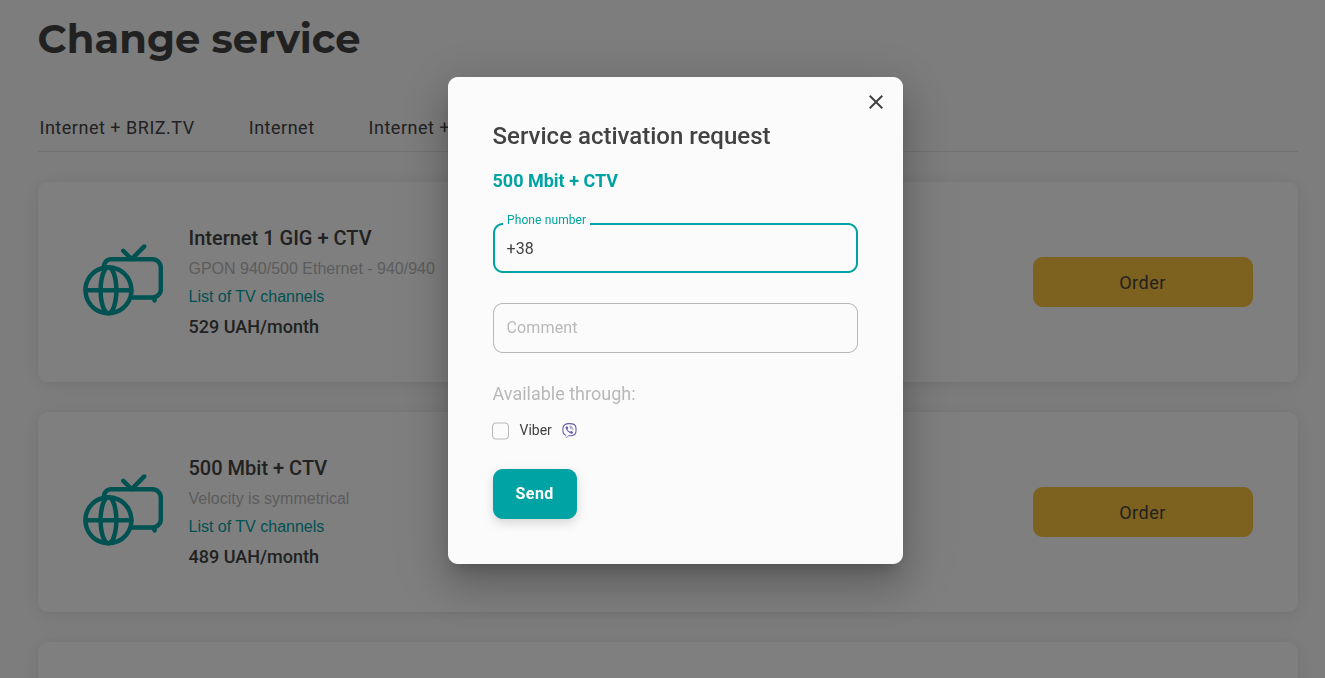
To submit a request, click the "Connect" button, fill out the form and click the "Send" button.
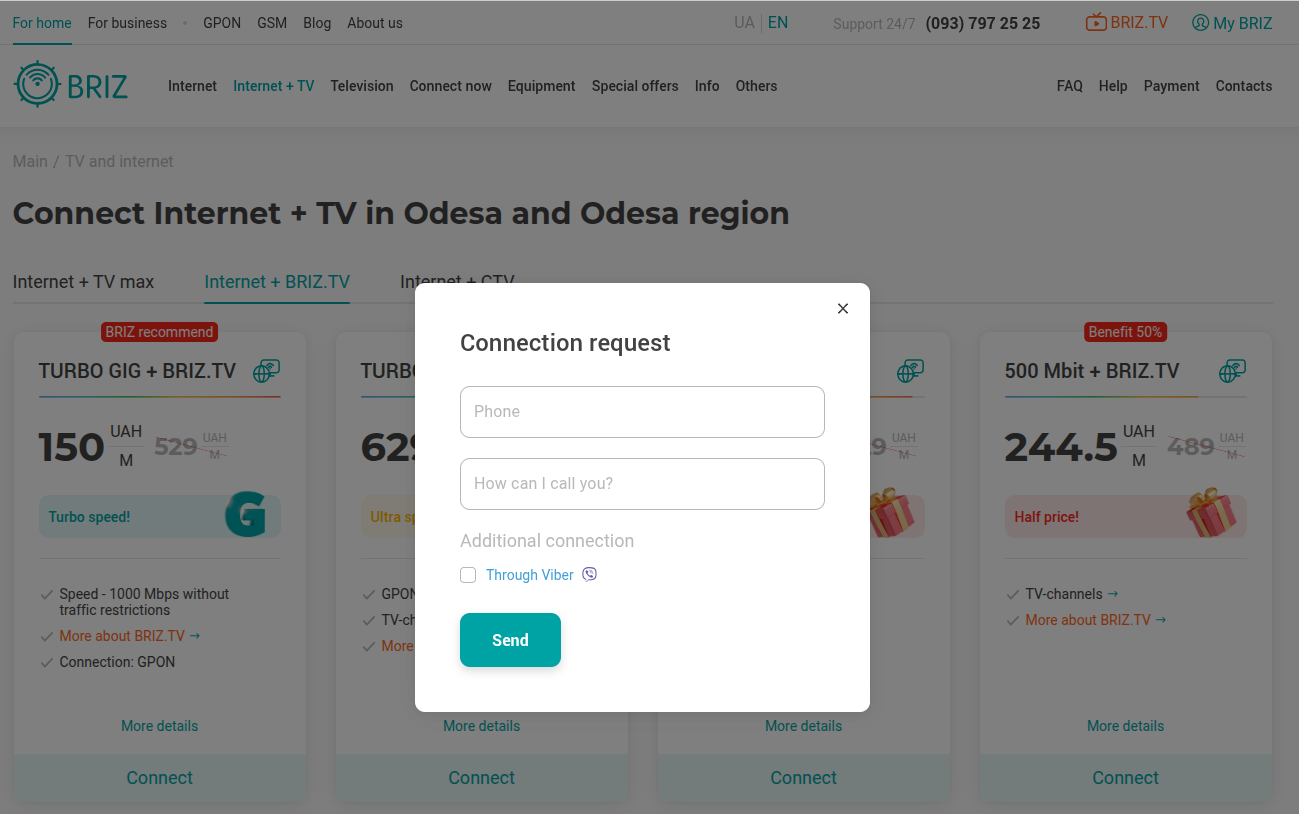
A support operator will contact you to clarify the possibility of connecting the selected tariff.
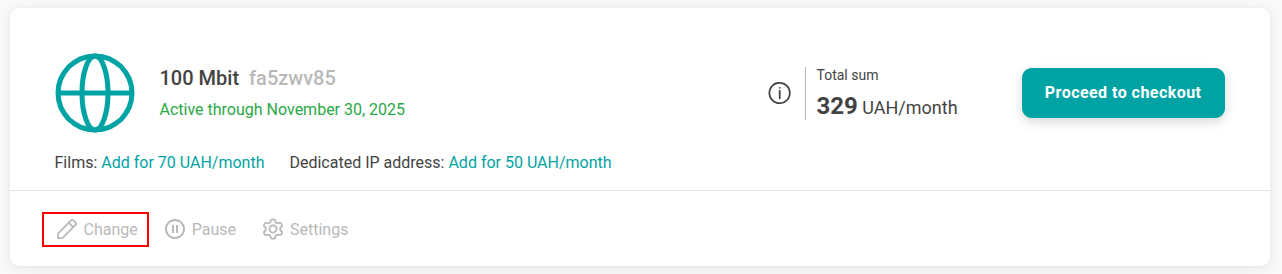
If you are using the Internet tariff and want to change it to the combined "Internet + BRIZ.TV" tariff, you can do it yourself through your personal account.
To do this, go to your personal account and click "Change" in the "Your services" block.
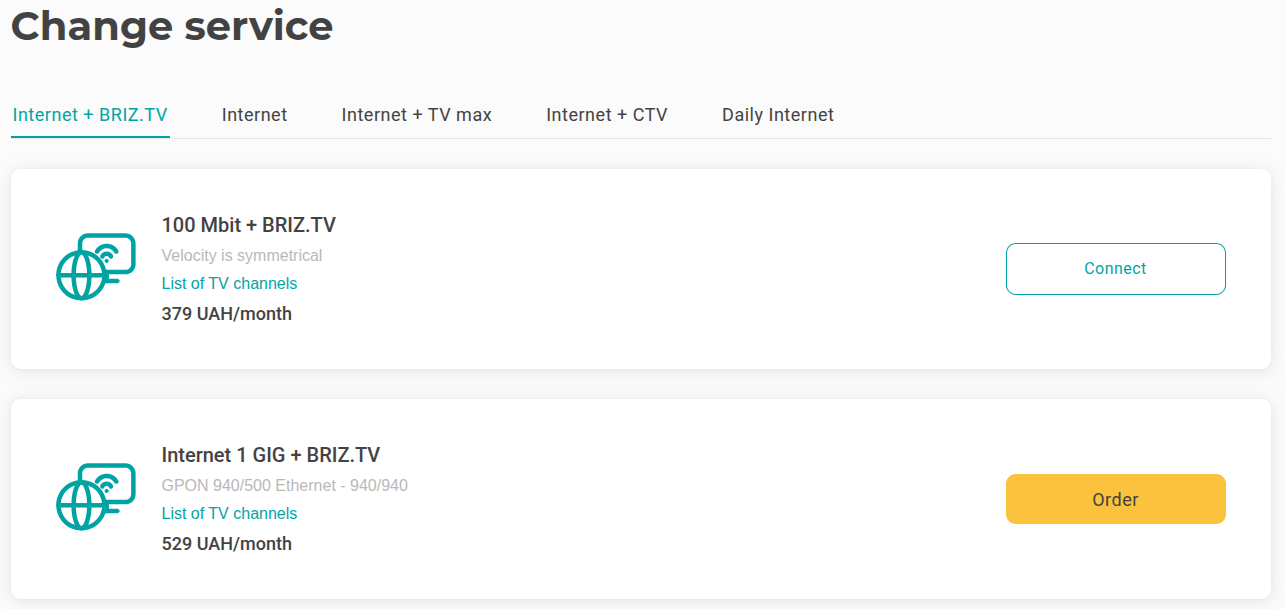
After that, you will see the available services "Internet + BRIZ.TV", "Internet", "Internet + TV max", "Internet + CTV" and "Daily Internet".
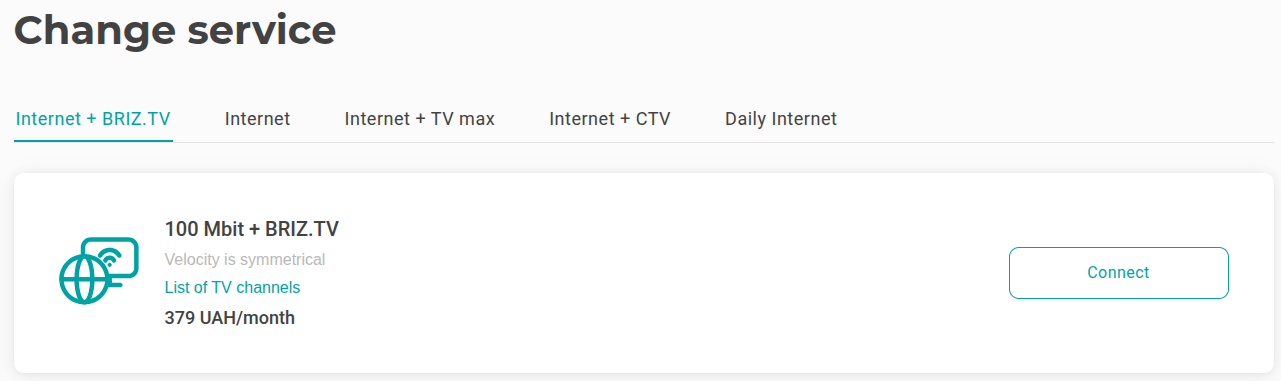
In the "Internet + BRIZ.TV" section, select the tariff that meets your needs and click "Connect" or "Order".
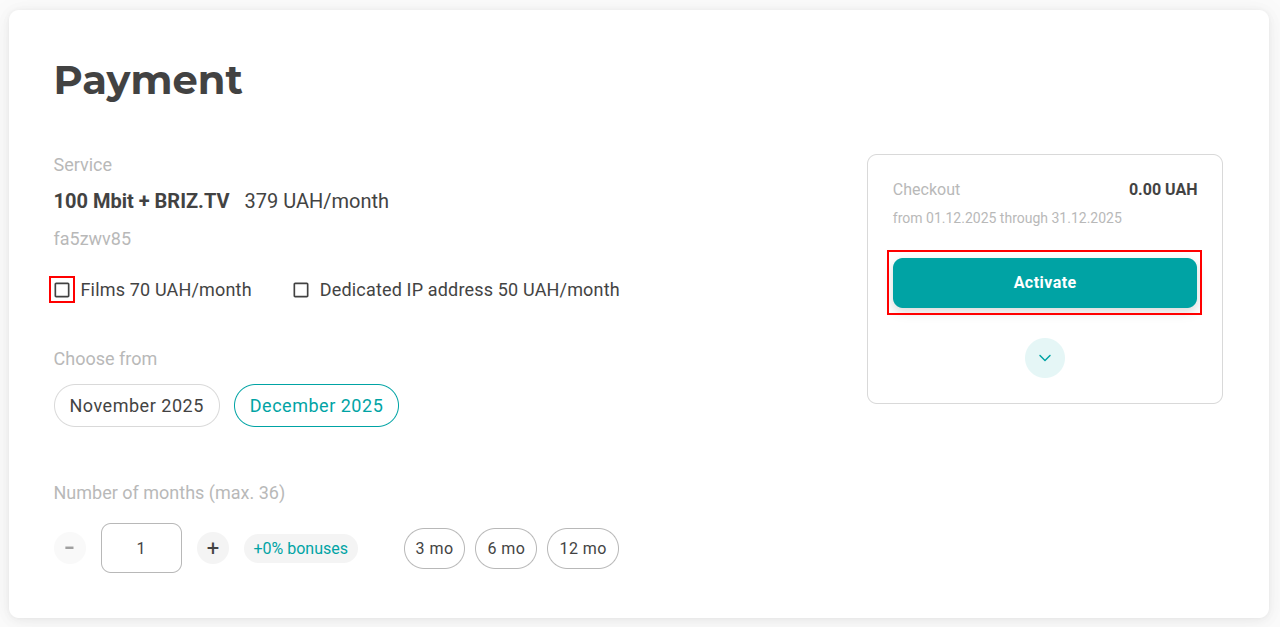
In the "Payment" section, select the number of months you want to pay for the tariff. If you want to activate additional services, such as Movies and Dedicated IP address, check the box next to them and click "Activate".
Please note that you can activate only the combined "Internet + BRIZ.TV" tariff through your personal account. If you want to activate the "Internet + CTV" or "Internet + TV max" tariff, you need to contact a support operator.
Please note that you can change your tariff through your personal account no more than five times a month. The updated package will be connected on the same day.
When you choose a tariff with a lower cost, the difference with the previous package will be credited to your account in your personal account. If you choose a package with a higher cost, a window for additional payment opens.