


How to connect Wi‑Fi in a large house: tips for coverage and stability
to read 6 min
How to connect the Internet with perfect Wi-Fi in a big house?
Living in a large house is a comfort, but it often comes with the problem of weak or unstable Wi-Fi. In one room, the signal is great, but in another, it's almost unreachable. To ensure perfect Wi-Fi coverage, you need to properly connect the Internet and configure your equipment.
Most Internet providers offer a reliable cable Internet connection, but your equipment is responsible for the quality of the Wi-Fi signal. When wireless Internet does not work as you want, the reason may be in the router settings or its location.
To avoid such difficulties, the question immediately arises - how much does it cost to connect this kind of Internet? It is important to pay attention to the fiber optic connection. Internet provider BRIZ offers not only affordable prices for fiber optic Internet connection, but also full support in organizing Wi-Fi coverage throughout the house.
If you are wondering how to connect the Internet when there is no power, or how to make your computer or smart set-top box work smoothly, BRIZ specialists are always ready to help you find the best solution.
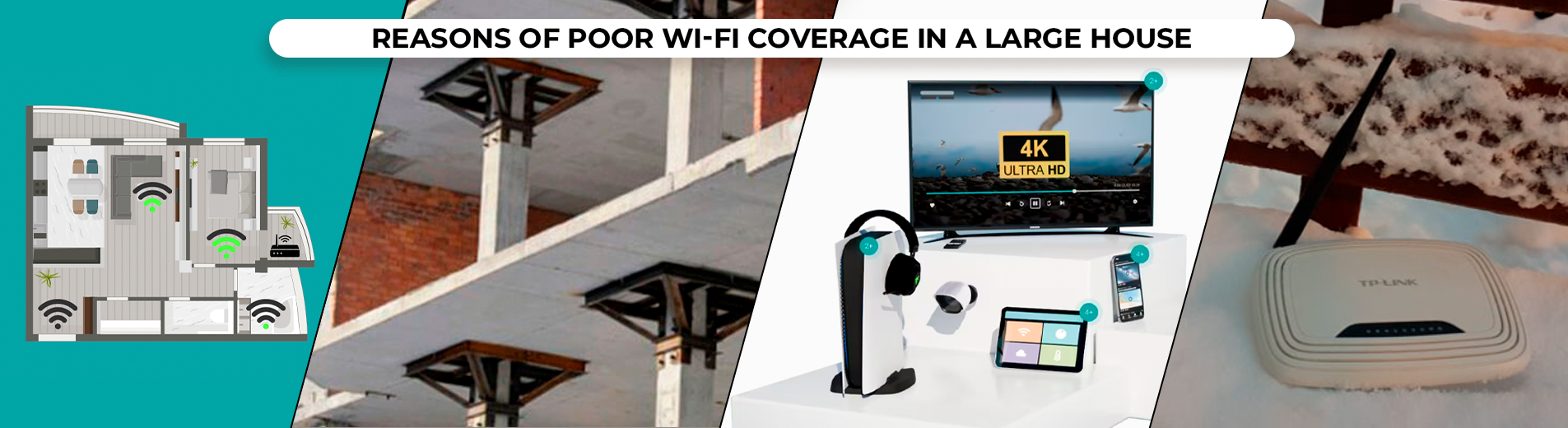
The main reasons for poor Wi-Fi coverage in a large house:
- Location of the router
If the router is in a corner or in the most remote part of the house, the signal may not reach some rooms. It's important to connect the Internet with the router in a central location, covering all rooms evenly.
And if your house is large (for example, it has two floors or several remote areas, such as a garage or separate utility rooms), one router will not be enough to cover all areas.
For these cases, you should immediately create a branched network throughout the house when connecting fiber optics.
If you are interested in the Internet without power, you should connect all routers to a backup power supply. Important information on how to connect the Internet when there is no power can be found in the article here.
- Building materials
Thick walls, metal structures, and concrete floors can significantly reduce the quality of wireless Internet. These materials absorb or reflect the Wi-Fi signal, creating dead zones. It is worth considering connecting the Internet to computers, TVs, smart set-top boxes, and other important devices by Ethernet cable.
- A large number of connected devices
More devices connected to your Internet, the more load you put on the network. If you have a lot of gadgets working at the same time, such as smartphones, TVs, laptops, smart boxes, and other devices, it can lead to a decrease in the speed and reliability of the connection.
- Interference from neighboring networks
Wi-Fi can be affected by interference from neighboring networks. But when there is no power outage and the Internet is connected, everything immediately starts to work better.
This is especially true for private plots, because some people may install routers on their street that provide a very powerful signal. As a result, it can interfere with your Internet connection.
Not sure if the settings are correct or facing problems?
You can always contact our technical specialists! As an Internet provider, we will provide you with a stable fiber optic and cable Internet connection, help you configure and install your router, so that everything works 100% and even without power.
How to avoid network problems?
- Correct placement of the router
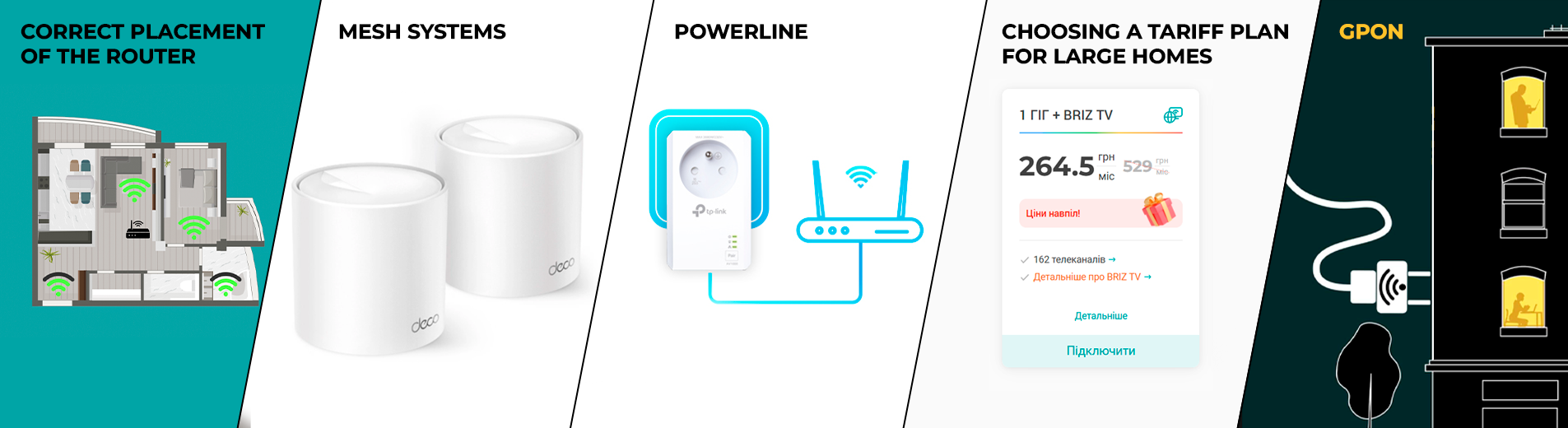
The router should be placed in the central part of the house for optimal Wi-Fi coverage. For large houses or multiple floors, it is better to install additional routers or access points for a stable Internet connection.
- Signal boosters and Mesh systems
Signal boosters and additional routers are the best solution for covering dead spots in your home or office. However, if they are not properly configured or not connected to a cable Internet connection, they will have their disadvantages. You can immediately feel the constant reconnection between networks, a possible decrease in speed, or the Internet may not be available at all.
In this case, MESH systems will be the best choice. This is a set of access points that work together to create one seamless Wi-Fi network. The signal is automatically transmitted from one device to another, providing high speed and stability of the connected Internet throughout the territory. They work effectively even in difficult conditions where conventional routers may not be able to cope.
We recommend that you check out TP-Link Deco M4 and TP Link DECO AX1500 for those looking for quality and reliability.
- Powerline
If it's difficult to lay additional cables to connect routers to the Internet without light in some areas, Powerline technology will be a great option. It allows you to use existing electrical wires around the house to transmit an Internet signal.
One adapter is connected to the router, and the other to your device or access point in another part of the house. However, this method may not work between different phases of the electrical network or in separate buildings.
- Choosing a tariff plan for large homes
The choice of tariff depends on the number of users and devices connected to Wi-Fi. For large homes with a lot of equipment, choose a gigabit plan that provides high data transfer speeds. This is especially important if you have many devices that need to be connected to the Internet at the same time (computers, TVs, smartphones, set-top boxes, etc.).
- Connecting fiber optics and router without power
How to connect the Internet without power? One of the most reliable solutions is the use of GPON (Gigabit Passive Optical Network), a technology that allows you to provide a stable Internet connection even in the event of power outages.
Thanks to the fiber-optic Internet connection, the signal is transmitted passively, without requiring electricity along the entire route. That is, the system itself is autonomous and only needs power from the provider and the client.
As for the issue of connecting a router without power, the UPS (uninterruptible power supply) comes to the rescue. By installing a UPS for your router and the ONU, you will be able to maintain an Internet connection even when there is no power.
How much does it cost to install the Internet in a private house?
The cost of connecting the optical Internet in the private sector from Internet provider BRIZ is calculated individually, it all depends on the availability of an optical cable and an optical terminal.
The cost of connecting to the Internet starts from 300 UAH, and the process usually takes from 2 to 4 hours.
Stable Wi-Fi in a large house is easy with the right tips
Connecting the Internet in a private home is a key step for a comfortable life. The choice depends on your conditions and needs. One of the best solutions is to connect fiber optic internet and install a Mesh system. It is important that all these systems work when there is no power.
Investing in a technologically advanced internet connection ensures a stable connection throughout your home, even in the most remote areas. Plan your cable internet and Wi-Fi connections with our tips in mind, and your home will be the perfect place to work and relax.
Receive information about promotions and news from BRIZ to your email address

Be the first to comment