


How to organize a smart home: choosing a router and internet connection in Odesa
to read 7 min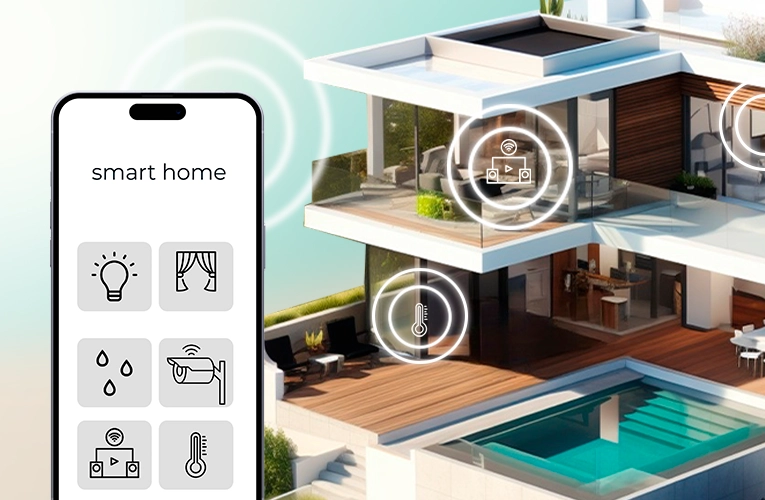
Introduction
The idea of a smart home used to be considered nothing more than a concept. But today, it's a reality that offers great comfort. Your home can control its own lighting, heating, and security, and adapt to your habits. Did you forget to turn off the lights? Your home will take care of it for you. Imagine waking up to your favorite tunes and hot coffee.
Today, we will learn what a smart home is, how it works, and how to organize it in general. Get ready for an exciting journey into the world of smart technologies!
What is a smart home?
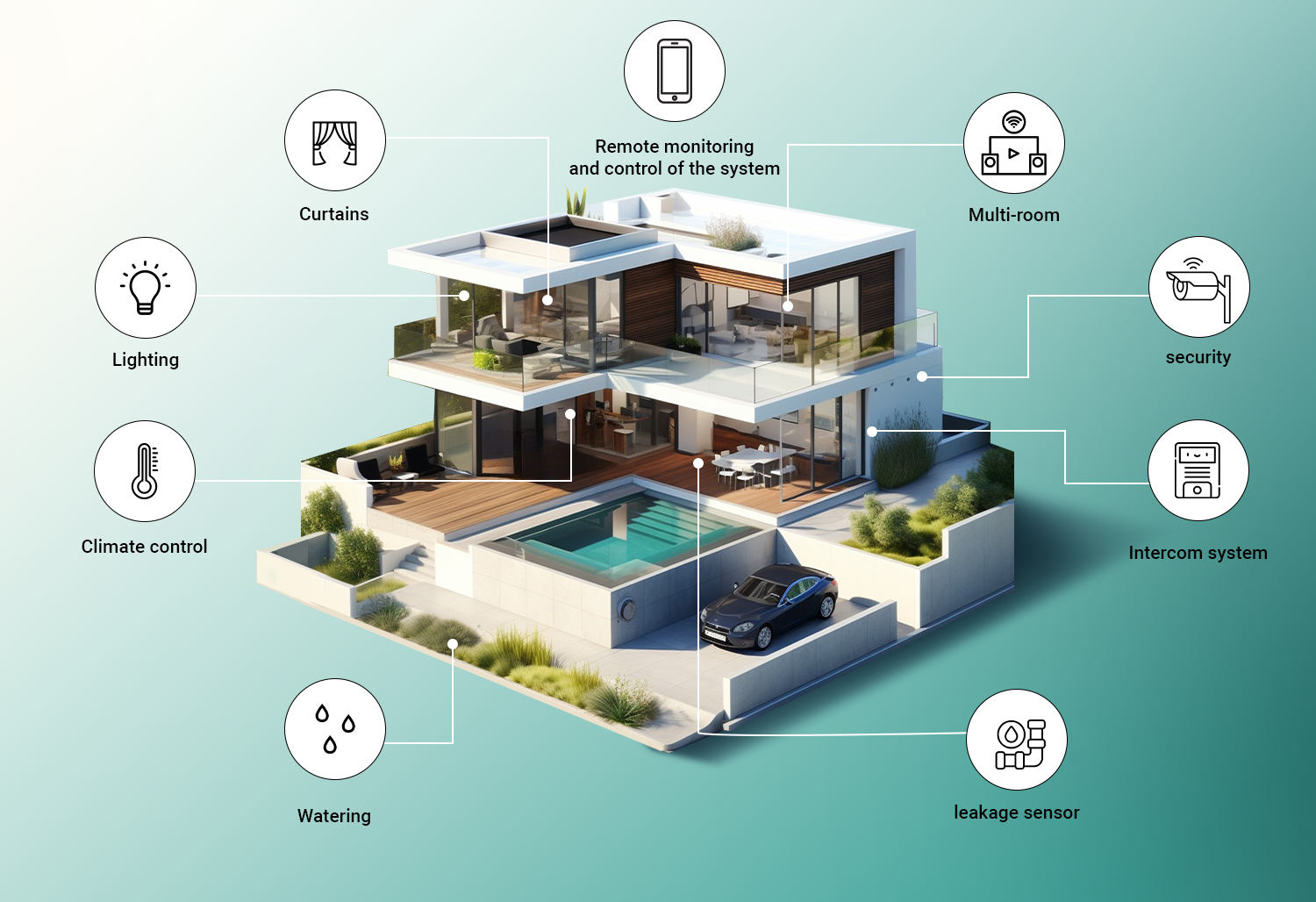
A smart home is a system that integrates all your home devices so that you can control them through an app on your phone or with your voice. This technology makes your home comfortable and functional while saving you time and money. For example, you don't have to worry about controlling the lights anymore - they will turn on and off automatically or according to a set schedule. It's also worth mentioning the climate control system, which maintains a comfortable temperature in different rooms, which is essential in cold or hot weather.
Another advantage is security. Video cameras, motion sensors, and smart locks work together as one system, so you can control everything that happens remotely. In addition, a smart home can help you save money. It tracks how much electricity you use and turns off unnecessary devices. And when it comes to entertainment, the system makes it easy to control your multimedia devices, whether it's music or home theater. One touch or voice command and the home theater will play your favorite music or create the perfect atmosphere for watching a movie.
How is a smart home organized?
Before you start building your smart home, it's important to decide how you're going to create its infrastructure - wired or wireless?
Wired systems are typically used in commercial spaces, such as offices, hotels, and clinics, where it is important to have stable connectivity and the ability to easily expand. They provide reliable data transmission, but you have to lay cables throughout the room, which makes installation much more complicated and expensive, especially if you've already done renovations.
Today, more and more people are choosing wireless systems for their apartments, cottages, houses, and dachas because they are easy to set up. They can be easily integrated into an existing system, which significantly reduces installation costs and time. With a wireless smart home, you can control all your devices via Wi-Fi or other communication protocols, so it is flexible and easy to use.
Internet connection and the right tariff plan
A reliable and fast Internet connection is one of the most important conditions for a smart home. Without it, devices will not be able to work properly and exchange data with each other. So, the first thing you need to do to get your smart home up and running is to choose a reliable internet provider and a suitable tariff.
GPON technology is a great option for connecting to the Internet. It offers high speed and stable connection. GPON uses fiber-optic lines, which means that you can get not only speeds of up to 1 Gbps, but also energy independence! This is especially important for the smooth operation of a large number of devices connected to a smart home.
If you have a lot of smart gadgets, not only light bulbs, thermostats, security sensors, but also automation systems, video surveillance, smart locks, audio systems, TVs, computers, and even several different routers, you should choose a tariff of 500 to 1000 Mbps. This way, you can be sure that everything will work without failures and delays.
On the other hand, if you use only a few sensors or cameras in your smart home and your local network is small, a tariff of 100 to 250 Mbps will do.
The more devices you plan to connect, the faster your internet speed should be. If you have a lot of smart devices, it can put a lot of strain on the network. So, choosing the right tariff is the key to comfortable and efficient operation of your smart home in the future.
Router is the second starting point of the smart home foundation
So, the router is a special element in our system, and choosing the correct one is the most important thing for organizing a smart home. This compact but powerful device is the link between all the devices in your home and the Internet, allowing them to interact with each other.
When choosing a router, there are several key features to consider:
1. Gigabit ports and Wi-Fi 5/6/7 support. Your router must have gigabit ports and support the latest Wi-Fi 5 (802.11ac), Wi-Fi 6 (802.11ax), or Wi-Fi 7 (802.11be) technologies. Gigabit ports provide the high data transfer speeds needed to connect multiple devices simultaneously. Wi-Fi 5/Wi-Fi 6/Wi-Fi 7 technologies will eventually offer faster Wi-Fi speeds, no latency, and a more stable connection, which is important for streaming high-definition video, online gaming, and controlling devices in a smart home.
2. IoT support in the router. This allows you to combine different devices, such as thermostats, smart bulbs, motion sensors, and more, into one smart home system that can be controlled using a smartphone or voice assistant.
IoT allows you to process signals from multiple devices at the same time, so many devices can “talk” to each other, exchange data, and react to what's happening around them. For example, a smart thermostat can automatically adjust the temperature based on sensor readings in different rooms
3. Mesh support. Mesh systems consist of multiple modules that work together to create a single Wi-Fi network with large coverage. This eliminates dead spots in large homes and allows you to easily manage all of your smart home devices, no matter where they are located.
4. Additional features. It is worth choosing routers that support advanced technologies such as MU-MIMO (Multi-User, Multiple Input, Multiple Output), Beamforming, and QoS (Quality of Service).
- MU-MIMO allows the router to communicate with many devices simultaneously, which makes the network much more efficient, especially when many users are connected to it at the same time.
- The Beamforming feature focuses the Wi-Fi signal on the devices connected to it, rather than spreading it across the entire area. This makes the signal stronger and increases the data transfer speed.
- The QoS feature allows you to prioritize traffic for the most important devices or programs, so you can be sure that everything will work smoothly even in a congested network.
Choosing a router is a very complex and non-trivial task that is best left to professionals. It is important to choose a device that meets your needs. We recommend that you pay attention to such lines as TP-Link Deco, Google Nest Wi-Fi, Netgear Orbi, and ASUS ZenWiFi, which offer extensive features for modern connectivity.
We can offer you the TP-Link Deco M4, TP-Link EX220, and TP-Link Archer AX23 models.
What will be useful?
Signal boosters. You can use additional routers or mesh devices to boost your Wi-Fi signal. Additional access points allow you to expand the coverage area of your wireless network, and they should be installed in places where the connection is weak or there is no signal at all.
Mesh systems, such as TP-Link Deco, allow you to add additional modules without complicated setup. This creates one large network with seamless switching between devices, which is useful when you have a large room or multiple floors.
Uninterruptible power supply. A UPS is necessary to ensure the uninterrupted operation of not only the Internet but also every smart device in your home. Even if you have a stable power supply, a UPS will not be a bad idea, as it will protect your system from power surges that can lead to equipment breakdowns or malfunctions.
It is important to choose and calculate the right UPS capacity to support your entire system. This applies not only to the router or additional access points, but also to various security sensors, surveillance cameras, thermostats, etc.
How does a smart home work?
Now that we have an internet-connected home, a router (or even more than one), and a lot of smart devices, we wonder how they will interact with each other. This is where protocols come in. These are the rules of data transfer between devices that ensure their effective interaction. They allow smart devices to communicate, respond to commands, and work together as a single system.
The two most common protocols for smart devices are Zigbee and Z-Wave
Zigbee is a wireless protocol that creates a network with low power consumption. It's ideal for home automation because devices that support this protocol are often low-cost, so they are accessible to a wide range of consumers.
Both protocols form a tree-like network with a hub (or controller) in the center. It allows you to combine different devices such as sensors, lamps, cameras, etc. into a single system that responds to commands. For example, you can set up a scenario whereby when a motion detector detects motion, the lights in the room automatically turn on.
Another thing to note is that many manufacturers create hubs that only support their own devices. This can be tricky if you want to combine devices from different manufacturers. For example, if you have sensors from one company and lighting from another, you may find that not all of these devices can work together due to hub incompatibility. In this case, you will have to buy a separate hub for each type of device, or limit the choice of devices from a particular company.
Z-Wave is an improvement of the Zigbee protocol for smart devices, but it is aimed at a more expensive market. One of the best features of Z-Wave is its mesh architecture, which makes it easier to create a reliable system. In it, all devices act like relays, sending a signal to each other.
Z-Wave can connect many more devices without them losing connection, which is not the case with Zigbee and its 2.4 GHz frequency.
Z-Wave hubs are compatible with most devices that support this protocol. This means that you don't have to constantly check compatibility between different devices and hubs, which simplifies system setup and management.
Conclusion
Creating a smart home is not just a fashion trend, but a step towards a comfortable life. We have guided you not only through the process of connecting to the Internet and choosing a tariff, but also familiarize you with the peculiarities of choosing a router and the protocols of smart devices. Creating an entire smart system is not as fast as we would like, but it is an extremely interesting activity that opens up new opportunities for you.
We hope that our recommendations and experience have helped you understand what a smart home is, how to organize and use it.
Receive information about promotions and news from BRIZ to your email address

Be the first to comment