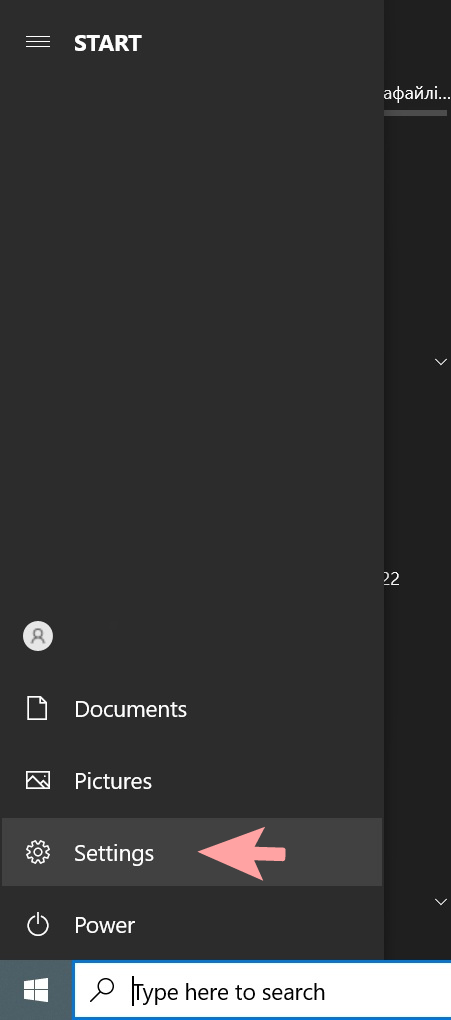
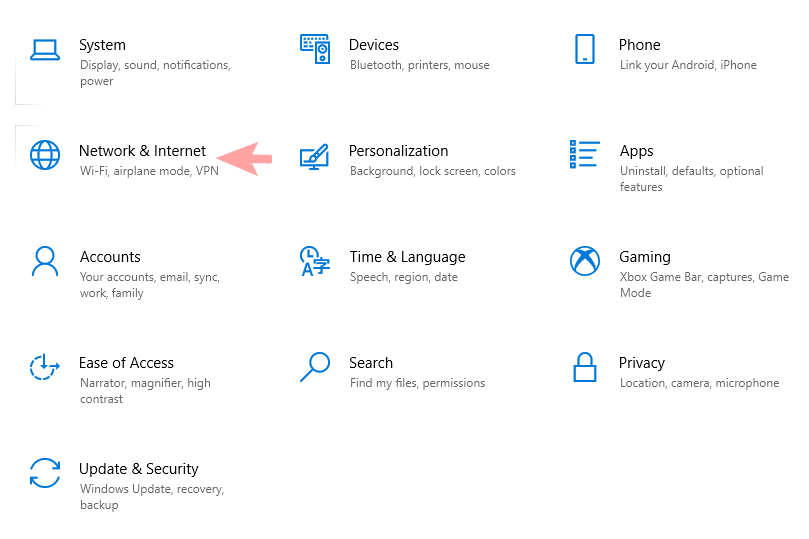
1. Click "Start" — "Settings" — "Network & Internet" — "Ethernet" and click "Change adapter options".

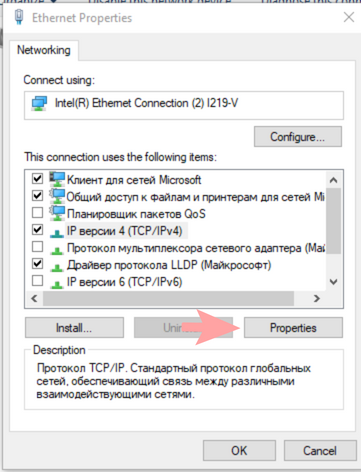
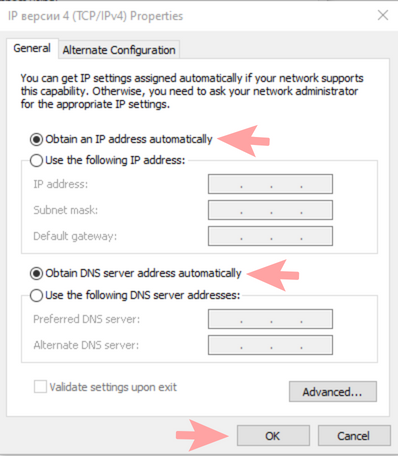
2. Find Ethernet (local area connection), right-click on it and select "Properties". Select "IP version 4 (TCP / IP v4)" and click the "Properties" button. We set the receipt of IP and DNS to automatic mode and press the "OK" button.
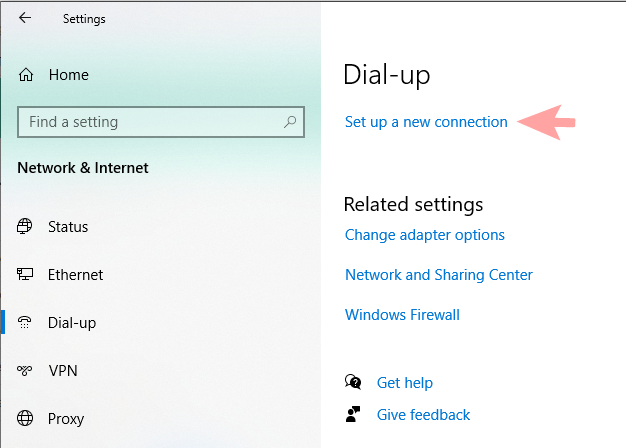
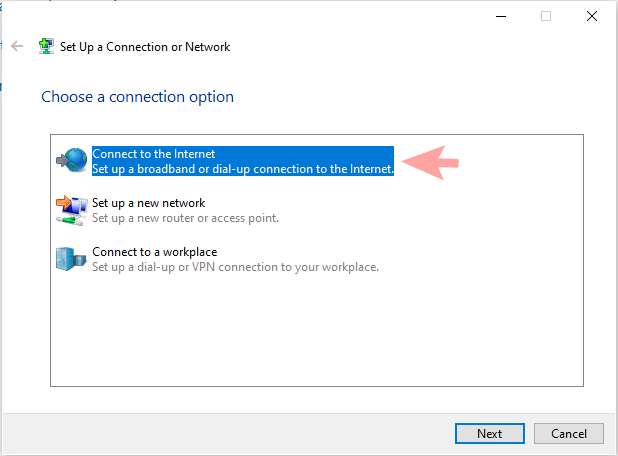
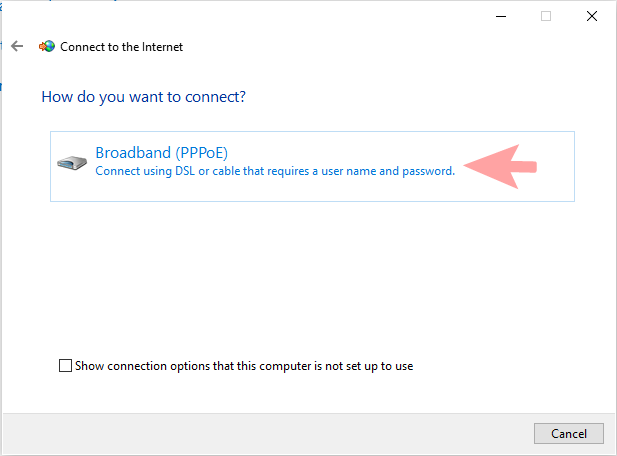
3. We return to the "Network & Internet". Click the "Dial-up" section, select "Set up a new connection" — "Connect to the Internet", then "Broadband (PPPoE)".
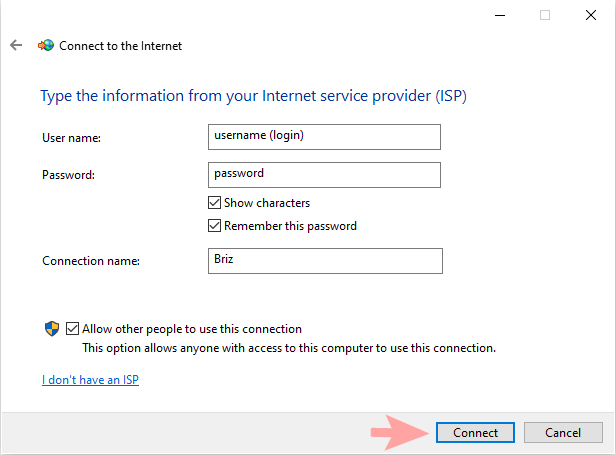
4. We indicate the username (login) and password, as in the contract. Enter the name of the connection below — "Briz". Click "Connect", then skip and close.
5. In the "Network Connections" folder which is located along the path: "Start" — "Settings" — "Network & Internet" — "Ethernet" — "Change adapter options".
Right-click on the created connection and select "Properties". Go to the "Security" tab. We select "Data encryption" — optional. Set the checkbox — "Challenge Handshake Authentication Protocol (CHAP)". Click the "OK" button.
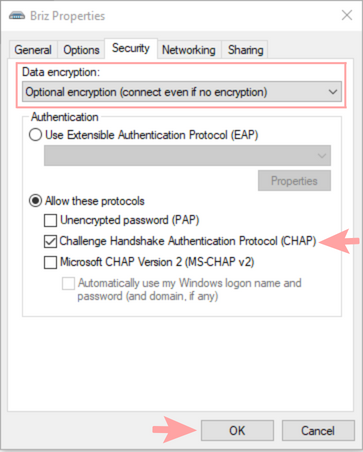
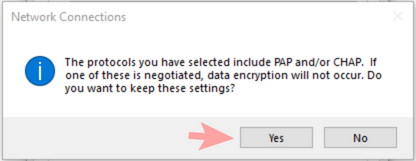
6. In the window that appears, click the "Yes" button.
If you change the equipment where the Briz cable is connected, you must inform the technical support the MAC address of the new device. Or you can change the MAC address yourself in your personal account.


