


Black D-Link Routher Interface
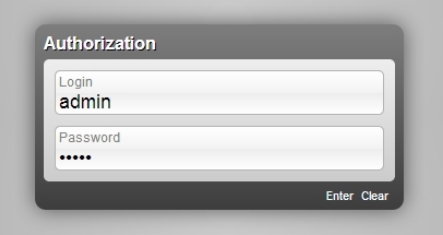
You need to connect the router to the computer using the included meter cable. The cable must be plugged into any of the four free LAN ports and the network card of the computer, which had the Briz cable. To configure the router, you do not need to use the disk that came with the router. You need to type the address http://192.168.0.1 in the address bar and go to the authorization page with the fields: "Login" and "Password". By default "Login" is admin and "Password" is also admin.
Internet connection setup
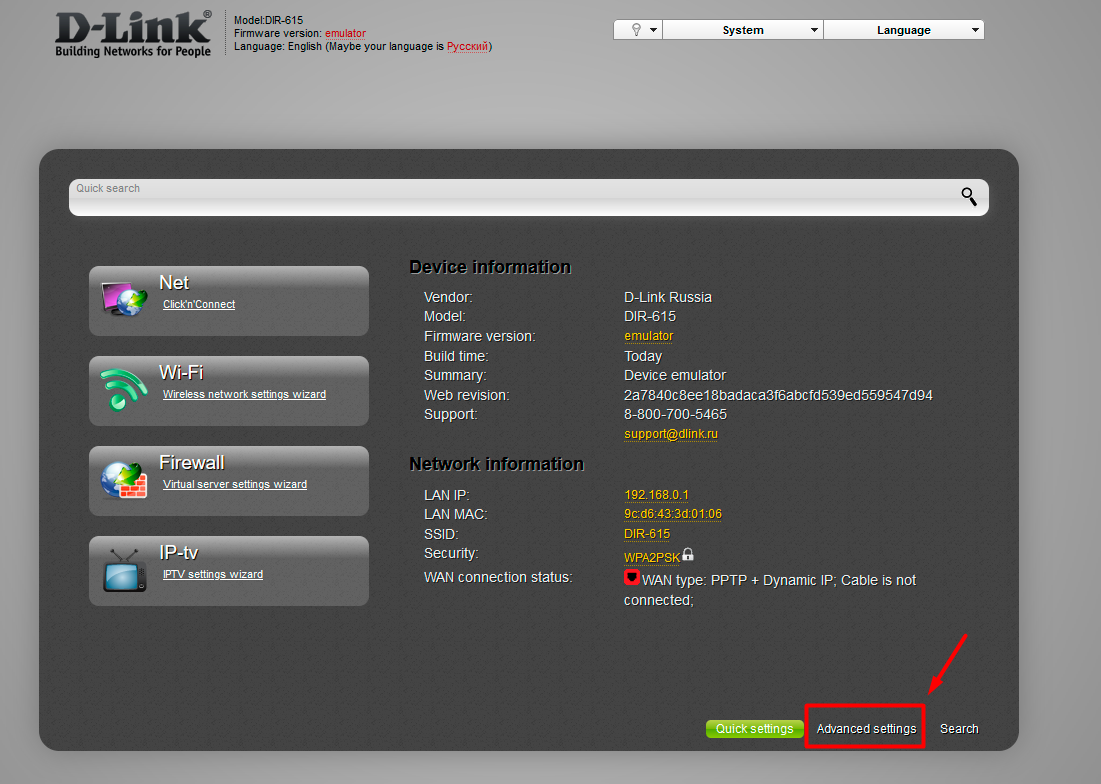
Let's proceed directly to setting up the connection. Press the button "Advanced settings".
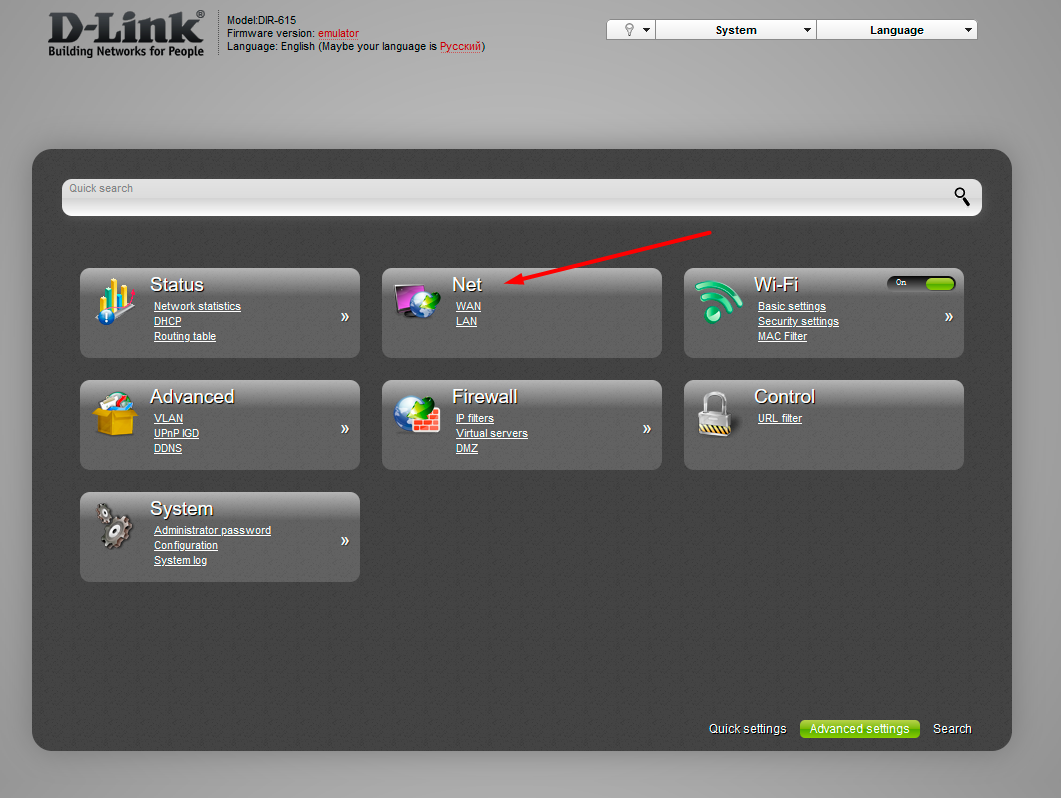
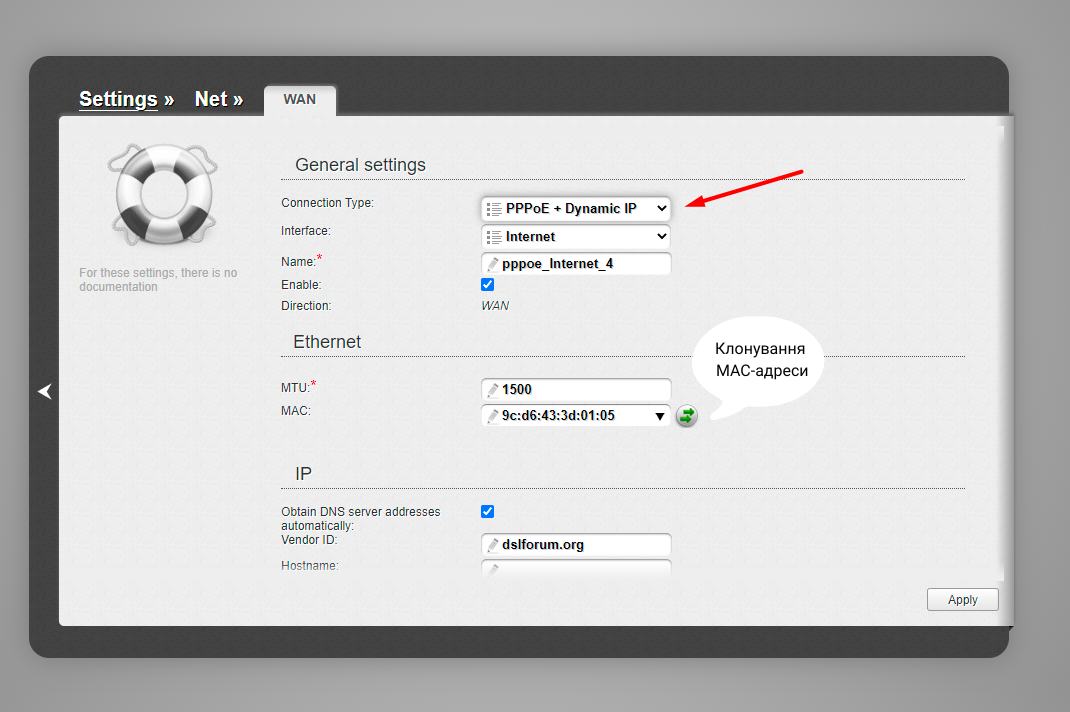
Go to the "Net" - "WAN" section.
We select the existing connection and proceed to the configuration. If the table is empty, click the "Add" button.
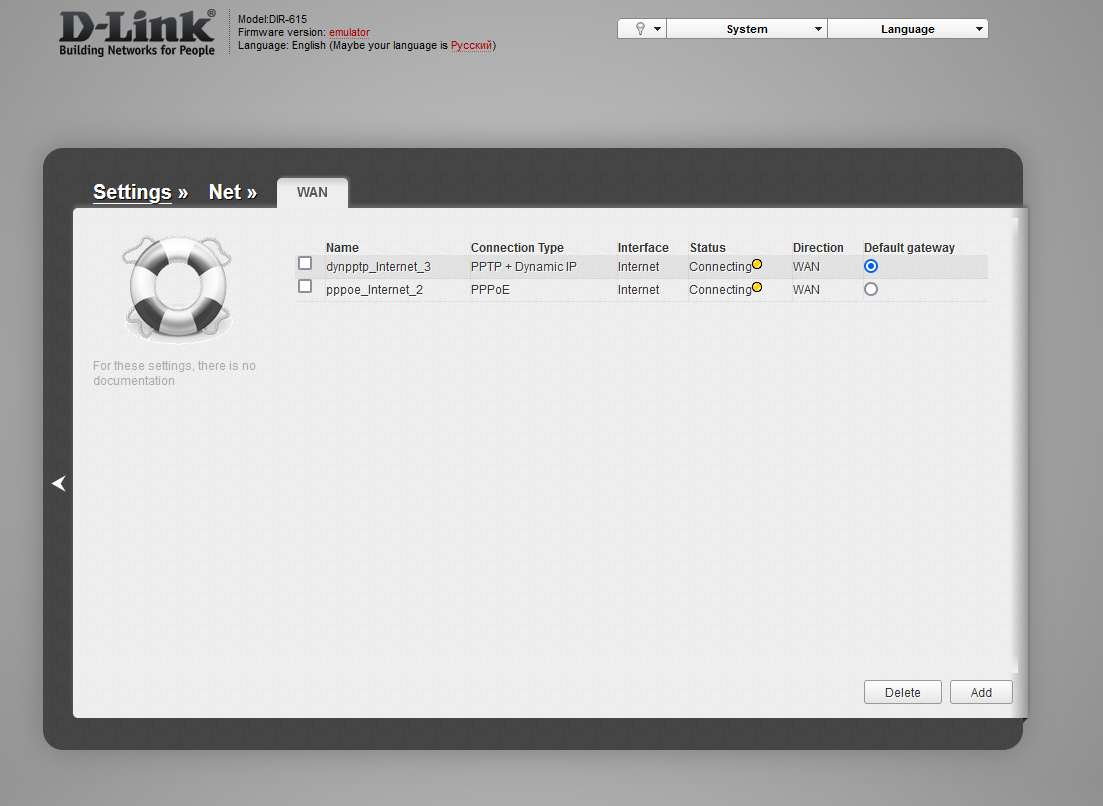
- Select "Connection Type" - "PPPoE + Dynamic IP".
- In the "Name" field, enter your Internet login.
- In the "Password" and "Password confirmation" fields, enter your Internet password.
- We select "Authentication algorithm" - "CHAP".
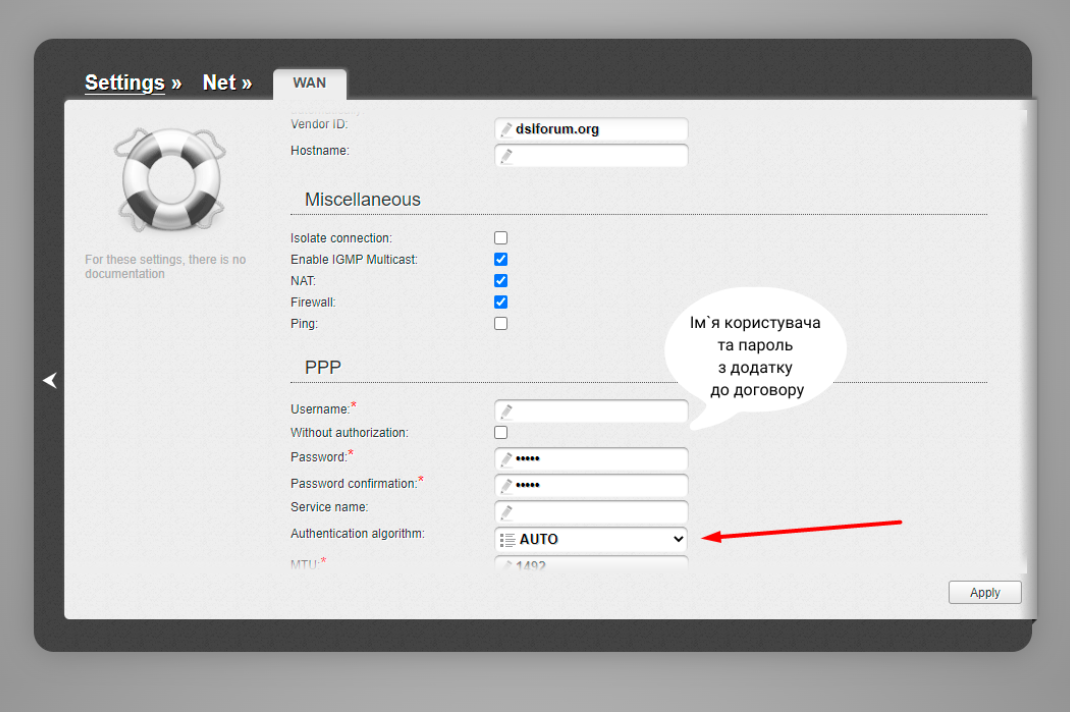
- Uncheck (if checked) the "Isolate connection" checkbox.
- We put (if not) the checkbox "Enable IGMP Multicast".
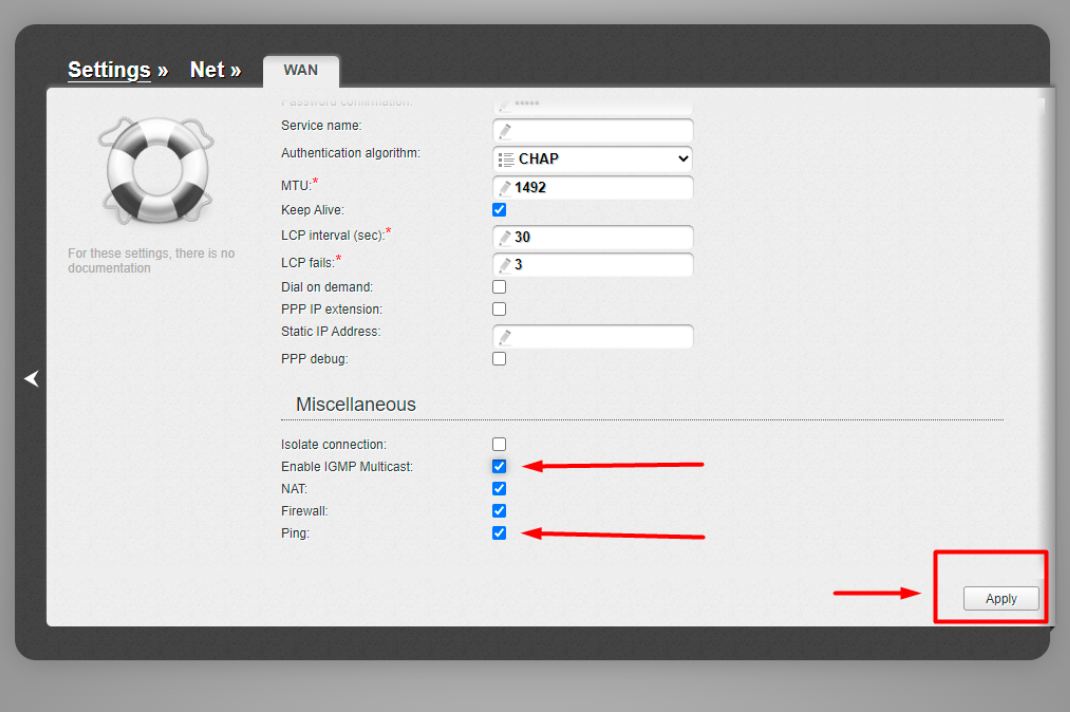
We save the changes by clicking the "Apply" button.
Setting up a wireless network (WI-FI)
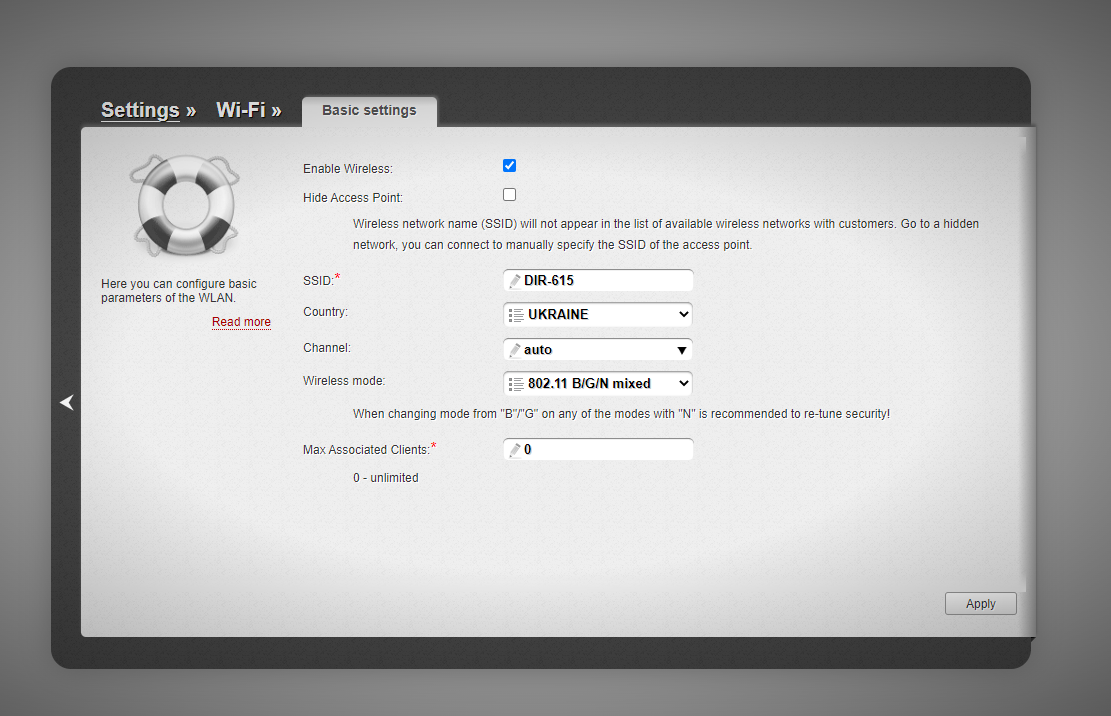
Go to the "Wi-Fi" - "Basic settings" section. Here we check the box "Enable Wireless". In the "SSID" field, enter the name of your network to which your devices will connect. We save the changes by clicking the "Apply" button.
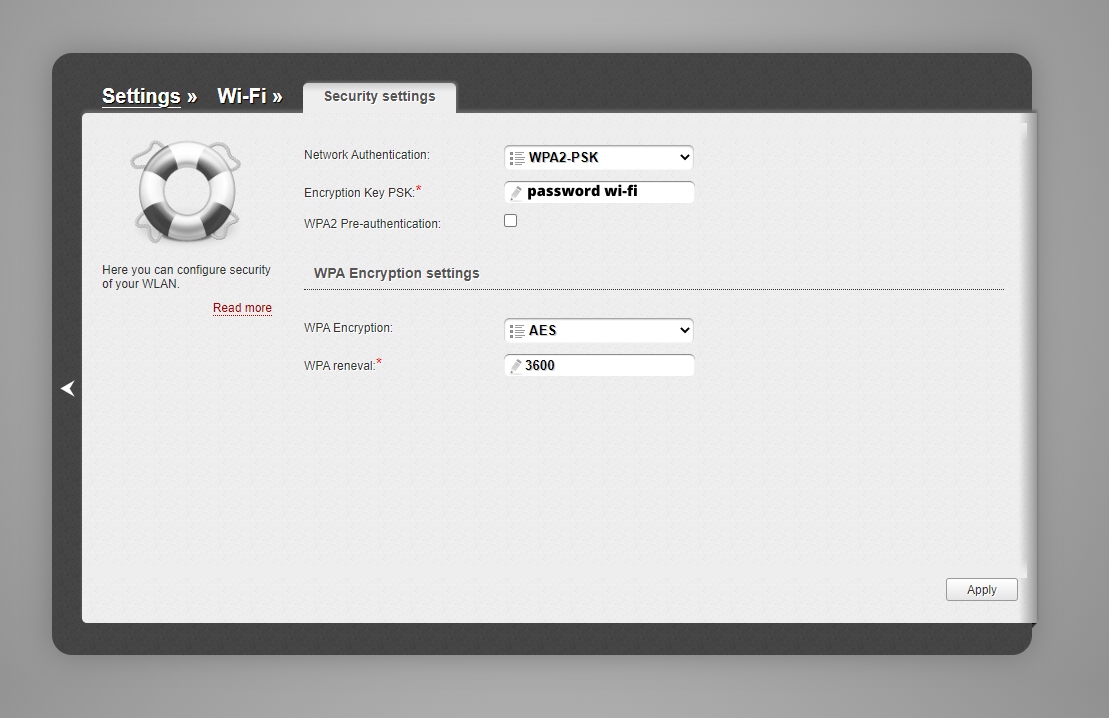
Go to the section "Wi-Fi" - "Security settings" Select "Network Authentication" - "WPA-PSK / WPA2-PSK mixed" and enter your password (any) in the "Encryption Key PSK" field. We save the changes by clicking the "Apply" button.
Change the binding to the device
Go to the "Network" - "WAN" section. We select the existing connection and proceed to change it. In the “Ethernet” subsection we find the item with the value: “MAC” Here you can either report the MAC address of the router to tech support (recommended) or change MAC address yourself in your personal account.
The router configuration is complete.
Assistant from «BRIZ» in Telegram
- View your account information;
- Register your device's MAC address yourself.