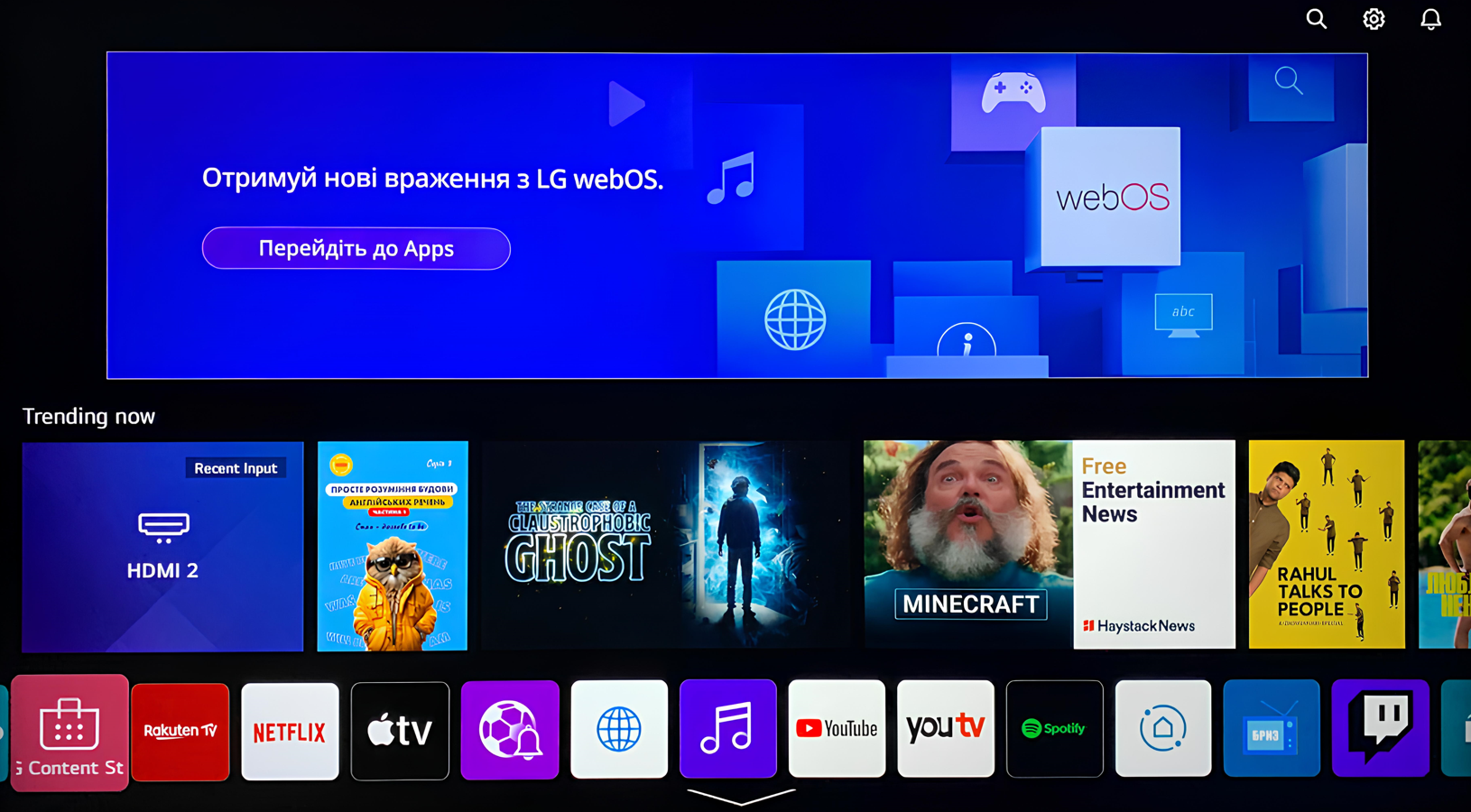
1. Go to the LG Connect Store app;
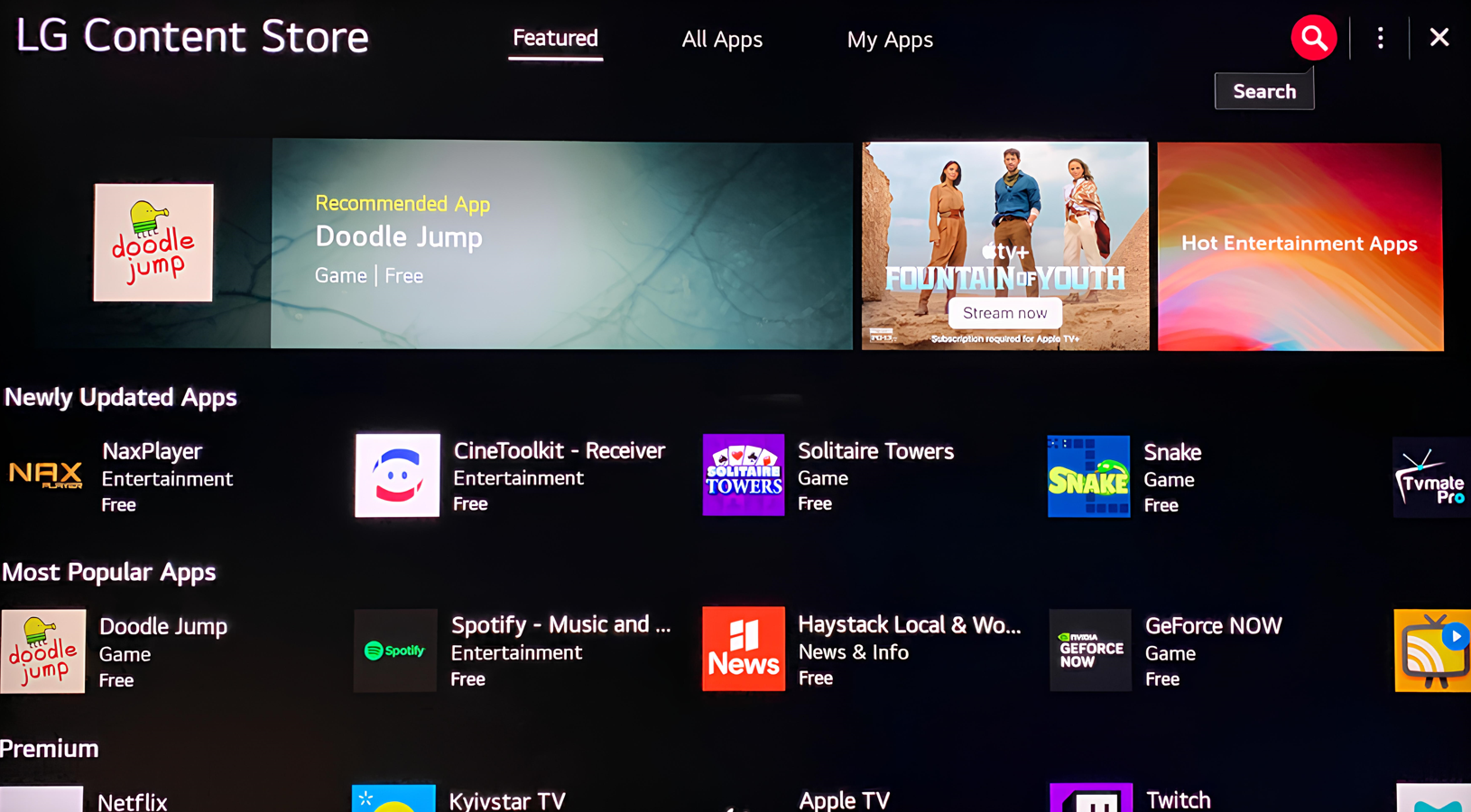
2. In the search bar (look for the «Magnifying glass» icon in the upper right corner of the screen), enter the name of the app - BRIZ;
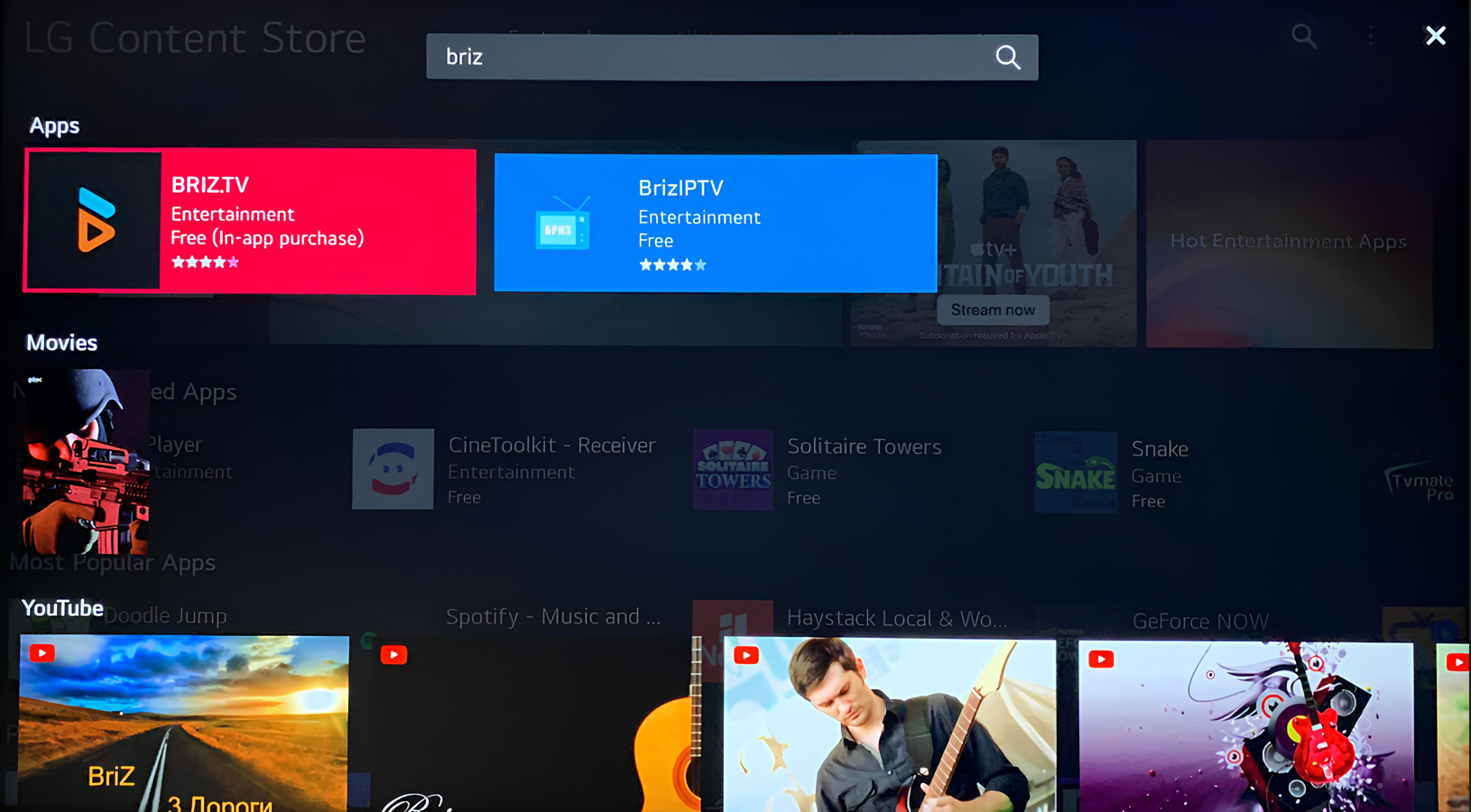
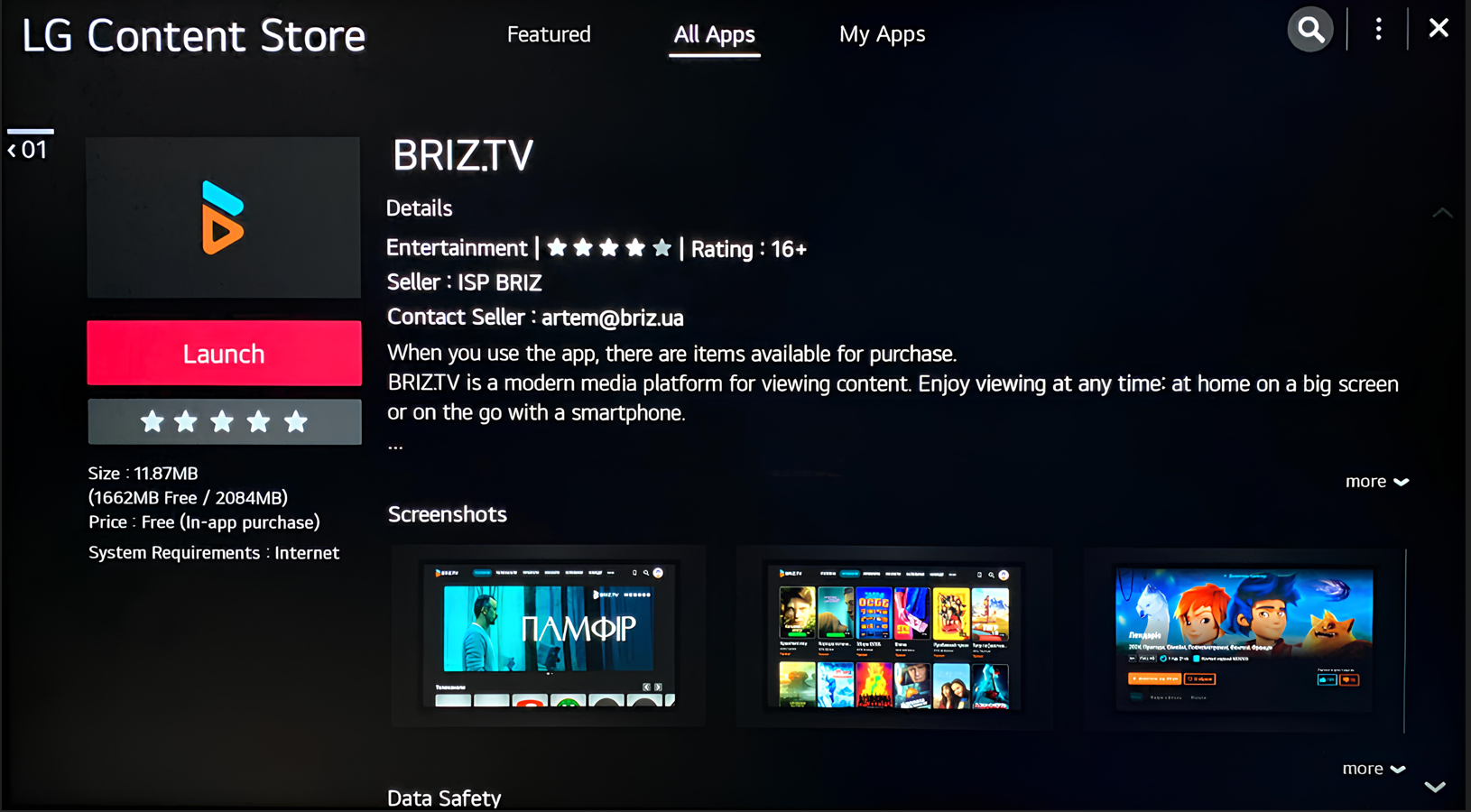
3. Once the search results display the app, select it and click on «Install»;
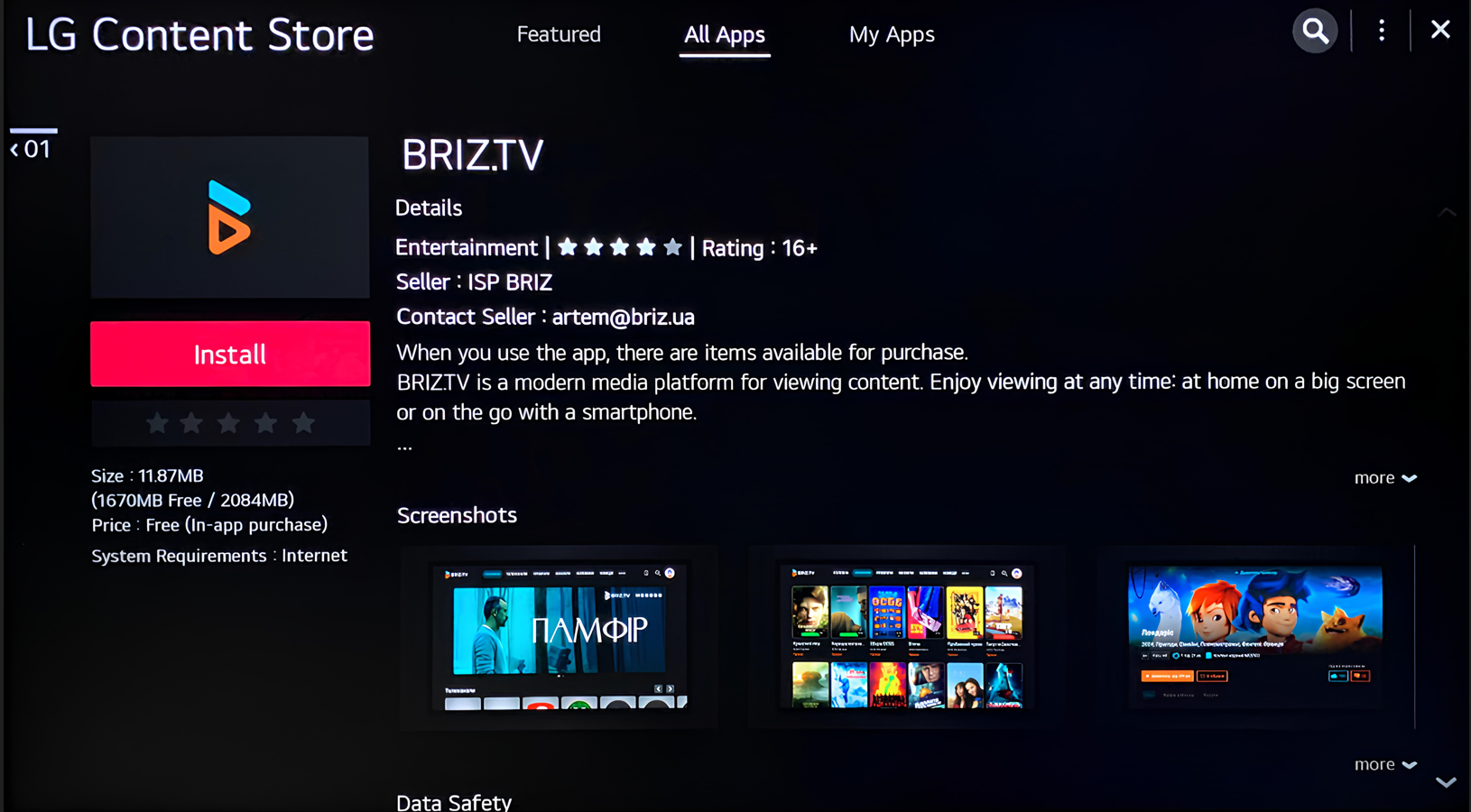
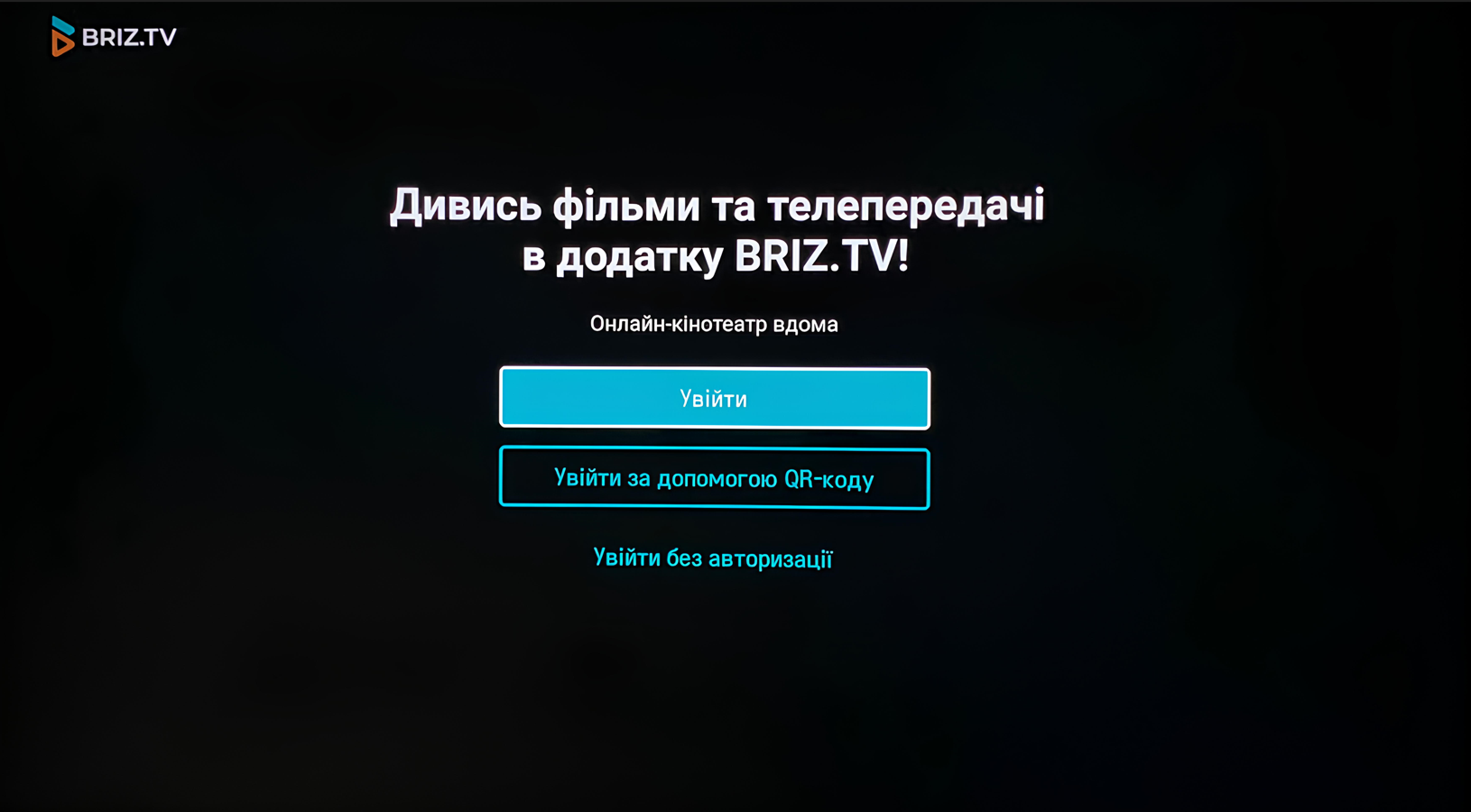
4. After the download is complete, click «Launch». You will be directed to the BRIZ.TV application authorization window.